











QUICK SUMMARY
Connecting FreeSWITCH with AI engines without destroying your concurrent call capacity requires precise architectural decisions. This blog breaks down the exact integration patterns, failover mechanisms, and performance optimization strategies that separate experimental implementations from production-grade systems handling thousands of concurrent AI-powered calls.
Your FreeSWITCH PBX handles 3,000 concurrent calls smoothly. You integrate an AI engine for customer service, and suddenly your capacity drops to 1,200 calls before audio degrades. Worse: when the AI service hiccups, 50 active calls disconnect instead of gracefully falling back to your traditional IVR.
This is an architectural failure.
Most FreeSWITCH AI engine integrations treat AI as just another external service, ignoring the fundamental conflict: FreeSWITCH’s real-time media processing requires deterministic performance, while AI inference introduces variable latency, resource contention, and new failure modes.
The gap between experimental demos and production reliability isn’t about better AI providers. It’s about understanding how to separate concerns, prevent blocking, and build invisible failover.
This blog explains the exact technical approach for FreeSWITCH AI engine integration that maintains your PBX’s performance characteristics while unlocking intelligent call automation.
Why FreeSWITCH AI Integration Breaks Under Load
Your FreeSWITCH PBX handles thousands of concurrent calls smoothly. You integrate an AI engine for customer service, and suddenly, your capacity collapses, and calls start disconnecting during AI service interruptions.
The problem is treating AI as just another external API call instead of architecting for the unique constraints of voice media processing.
Synchronous API Calls
When FreeSWITCH sends audio to an AI engine and waits for the response before continuing, the thread handling that call blocks. During that wait period (typically seconds for complete AI response cycles), the entire thread cannot process other calls. Scale this across hundreds of concurrent AI-powered calls, and you’ve converted your parallel call processing into a sequential bottleneck.
Resource Contention Starves Audio Processing
Running AI inference on the same server as FreeSWITCH forces both systems to fight for CPU cycles. AI response generation spikes CPU unpredictably. When those spikes occur during critical RTP media frame processing windows, audio quality degrades across all active calls (not just the ones using AI).
Failed AI Calls Have No Safety Net
When the AI engine times out, overloads, or crashes, the active call disconnects in poorly designed integrations. The caller hears silence, then nothing. You’ve converted an automation opportunity into a support ticket and a frustrated customer.
These problems aren’t edge cases or implementation details. They’re architectural conflicts that only careful design decisions can resolve.
Your FreeSWITCH PBX needs AI that doesn't break under load.
The Right Architecture for FreeSWITCH AI Engine Integration
The solution is strict separation of concerns: FreeSWITCH handles what it does best (real-time media routing and processing), while a dedicated integration layer manages asynchronous AI communication and state synchronization.
Event Socket Layer (ESL) Keeps AI Outside the Media Loop
FreeSWITCH’s Event Socket Layer provides a TCP control interface enabling external applications to manage calls without modifying the core platform.
For AI integration, use ESL Outbound mode: when a call needs AI processing, FreeSWITCH routes it to your integration application. Your app receives complete call control (play audio, collect DTMF, manipulate variables) outside FreeSWITCH’s core media loop.
This architectural separation ensures AI workloads never compete with media processing. If your AI integration stalls or crashes, FreeSWITCH’s media handling remains unaffected.
Message Queues Decouple FreeSWITCH from AI Processing
Insert a message queue (Redis Streams, RabbitMQ, Kafka) between FreeSWITCH’s audio stream and AI processing. FreeSWITCH publishes audio chunks to the queue and continues immediately. Separate worker processes consume from the queue, interact with the AI engine, and publish results back.
This pattern unlocks three critical capabilities:
- FreeSWITCH never blocks waiting for AI responses
- AI capacity scales independently by adding or removing workers
- Backpressure is handled gracefully (queue buffers requests while workers scale)
Pair this with WebSocket-based audio streaming to your AI service (full-duplex communication eliminates request-response latency) and streaming Speech-to-Text (partial transcription results as audio arrives, reducing perceived latency).
Languages for FreeSWITCH AI Integration
FreeSWITCH AI engine integration demands language ecosystems that can handle both VoIP protocols and AI service communication efficiently. Here’s how the leading options compare:
| Language | Key Libraries | Ideal For | Trade-offs |
| Python | python-ESL, asyncio | General-purpose AI integrations; excellent SDK access (OpenAI, Anthropic, Google) | GIL limits CPU parallelism, but AI latency dominates processing time |
| Node.js | modesl, native WebSockets | WebSocket-heavy, real-time audio streaming architectures | Event loop excels at concurrent connections; weaker telecom ecosystem |
| Go | go-eventsocket, standard HTTP/2 | High-throughput deployments with strict latency requirements | Smaller AI SDK ecosystem; requires more custom HTTP code |
| Java/Kotlin | org.freeswitch.esl library | Enterprise integrations with existing Java infrastructure | JVM garbage collection critical at scale; enterprise AI SDKs available |
Note: The real constraint is finding FreeSWITCH developers who understand both VoIP protocols (SIP, RTP, codec negotiation) and AI service integration patterns. This skill intersection is uncommon, expensive, and increasingly competitive.
Stop risking dropped calls during AI integration. Get Expert FreeSWITCH AI Implementation!
How to Keep Calls Connected When AI Service Fails?
Failover architecture for FreeSWITCH AI Engine integration must be invisible to the caller.
The moment the AI engine becomes degraded or unavailable, calls should seamlessly transition to pre-built fallback logic without disconnection or user perception.
Circuit Breaker Pattern
A circuit breaker monitors consecutive failures to the AI service. After a threshold of failures (typically 3–5), the circuit “opens,” routing all subsequent calls to fallback DTMF IVR for a timeout period.
This prevents overwhelming an already-struggling AI service with continued traffic while it recovers. After the timeout, the circuit enters a “half-open” state, allowing a single test request. If successful, normal processing resumes. If it fails, the circuit reopens.
Timeout-Based Failover
Set aggressive timeouts on AI requests (3–5 seconds for complete response). If the AI doesn’t respond within this window, immediately trigger fallback: the caller experiences a brief silence, then hears “Let me transfer you to our team.” The call stays connected throughout. Your integration layer never allows indefinite waiting.
DTMF Fallback Preserves Conversation State
The most robust fallback is a traditional IVR menu using DTMF input that handles the same intents as AI. Before transferring, set FreeSWITCH channel variables with information already collected by the AI (account number, language preference, intent classification). Fallback IVR reads these variables and skips redundant questions.
Exponential Backoff for Transient Failures
For individual AI API calls within a conversation, implement retry logic with exponential backoff (100ms, 300ms, 900ms delays). This recovers from network hiccups transparently. When complete outages occur, the circuit breaker prevents retry storms, and it immediately routes to fallback without additional attempts.
Ecosmob Expert Tip
Set up separate monitoring dashboards for “AI failures with successful failover” vs. “AI failures with call drops.” The first metric should be non-zero in production (your failover is working), while the second should remain at zero. This distinction helps your team differentiate between expected degradation (which your architecture handles) and critical failures that need immediate engineering attention.
How to Prevent Performance Collapse at Peak Load?
Your AI integration handles 200 concurrent calls at sub-second latency off-peak. At peak hours, response times balloon and call abandonment spikes. Performance collapses because AI processing doesn’t scale linearly with load like traditional media processing.
Isolate Workloads
Deploy FreeSWITCH on dedicated media servers (high CPU clock speed, low-latency networking). You should also deploy AI integration on a separate infrastructure (high core count for parallel processing, large memory for response caching).
This physical isolation ensures AI processing spikes cannot starve media frame handling.
Caching Reduces Redundant AI Processing
- Intent recognition caching: Cache results for common utterances. For example: “I want to check my balance” → check cache first. If a high-confidence match exists, skip AI entirely and execute the action directly. This eliminates API calls for repetitive queries.
- Prompt caching: Structure prompts so system instructions and customer context are sent as cacheable prefixes. Only the user’s latest utterance changes per request. This reduces token processing costs and improves latency by 200–500ms.
- Response fragment caching: Pre-generate AI responses for frequent questions (“What are your hours?”) and cache them as audio files on FreeSWITCH. When intent detection triggers, play cached audio immediately instead of generating a new response.
Horizontal Scaling of Worker Processes
- Deploy multiple AI integration instances behind a load balancer. ESL outbound connections distribute calls across available workers.
- Least-connection load balancing (not round-robin) can also be used, so workers handling lightweight calls receive more assignments than workers processing heavy conversational sessions.
- Monitor message queue depth. When depth exceeds thresholds, automatically provision additional workers. When depth normalizes, scale down. This provides elastic capacity without maintaining excess infrastructure during normal operation.
Also read: Stop Call Surge Chaos (Zero-Downtime Voicebot Automation)
Which Customer Interactions Should AI Actually Handle?
Not every call type benefits equally from AI automation. Automating the wrong interactions increases cost instead of reducing it.
High-ROI Interactions (40–60% of Support Volume)
- Tier 1 support deflection: Account balance checks, password resets, appointment scheduling, order status inquiries, and business hours information. These follow predictable patterns that AI handles reliably.
- Intent classification and routing: “I need to upgrade my service.” → AI extracts intent and routes to the appropriate team. This eliminates nested DTMF menu frustration.
- Appointment scheduling: AI accesses calendar systems, checks availability, books appointments, and sends confirmations. For medical practices and service centers, appointment-related calls consume enormous agent time for transactions that AI automates effectively.
- Payment processing and billing inquiries: Integrated with billing systems, AI collects payments securely, provides account balances, explains charges, and sets up payment plans.
- After-hours service availability: AI provides full service outside business hours, while urgent issues escalate to on-call staff. This extends service availability without increasing labor costs.
Low-ROI Interactions (Route to Humans)
These include complex troubleshooting, emotionally charged disputes, complex identity verification, and sales requiring persuasion.
You should transfer such calls to agents since they require human judgment and contextual decision-making that current AI cannot reliably deliver. Automating them increases support costs through higher escalation rates.
Financial Break-Even Threshold
The fixed costs of FreeSWITCH AI integration (development, testing, deployment, monitoring) require minimum call volumes to justify. Monitor resolution rates, customer satisfaction, and first-call resolution metrics before and after deployment. If AI automation increases transfers or repeat contacts, apparent cost savings disappear.
Which Calls Should Your AI Engine Handle?
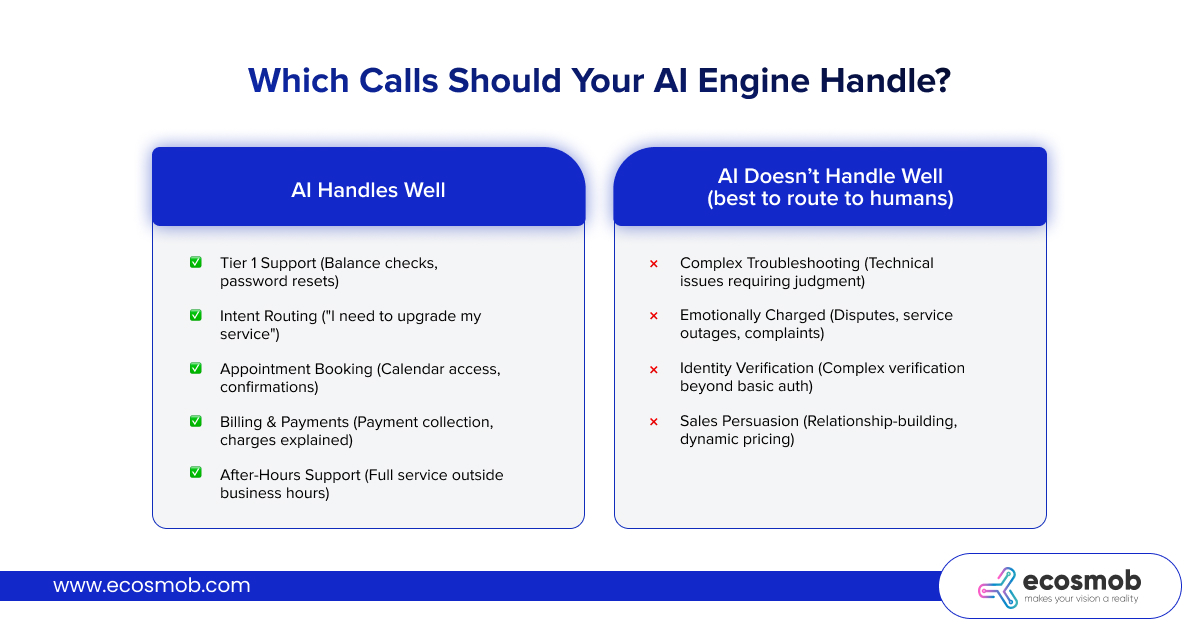 AI Handles Well
✅ Tier 1 Support (Balance checks, password resets)
✅ Intent Routing (“I need to upgrade my service”)
✅ Appointment Booking (Calendar access, confirmations)
✅ Billing & Payments (Payment collection, charges explained)
✅ After-Hours Support (Full service outside business hours)
AI Doesn’t Handle Well
(best to route to humans)
❌ Complex Troubleshooting (Technical issues requiring judgment)
❌ Emotionally Charged (Disputes, service outages, complaints)
❌ Identity Verification (Complex verification beyond basic auth)
❌ Sales Persuasion (Relationship-building, dynamic pricing)
The gap between experimental integrations and production systems is measured in dropped calls, cascading failures, and customer churn.
You can continue treating FreeSWITCH and AI as separate worlds, watching capacity collapse under peak load. Or you can architect them as a unified system where each component excels at what it was designed to do.
The difference between good and bad systems won’t be better AI models; every competitor has access to identical LLMs. The difference will be in the architecture.
Architecture is built by teams that have already solved these problems at scale.
Your FreeSWITCH platform deserves engineering that treats 99.999% uptime as a baseline, not aspirational. It deserves to scale from hundreds to tens of thousands of concurrent calls without incident reports.
FAQs
What programming languages are best for FreeSWITCH AI engine integration?
Python dominates due to mature AI SDKs and clean ESL library support. Node.js excels for WebSocket-heavy architectures. Go delivers superior performance for high-throughput deployments, handling thousands of concurrent calls.
How to prevent calls from disconnecting when the AI engine fails?
Implement circuit breaker patterns that detect AI service degradation and automatically route calls to the fallback IVR. You can also use timeout-based triggers (3-5 seconds), transferring calls to DTMF menus while preserving collected information in FreeSWITCH channel variables.
How can I maintain consistent AI performance during peak call loads?
Separate FreeSWITCH and AI workloads on different servers, use HTTP/2 connection pooling to AI services, implement client-side rate limiting, and cache common intent recognition results. Also deploy multiple AI integration workers behind load balancers for horizontal scaling.
How to test FreeSWITCH AI integration failover mechanisms?
The best idea would be to use chaos engineering. Deliberately inject AI service failures during active calls (kill processes, introduce network latency, simulate timeouts). Verify calls fail over gracefully without disconnection. And load test failover performance under realistic concurrent call volumes.
What monitoring metrics matter most for FreeSWITCH AI integration?
You should track per-call latency percentiles (P50, P95, P99) rather than averages, monitor AI failures with successful failover separately from call drops, correlate concurrent call count against response latency to identify capacity thresholds, and alert on P95/P99 tail latency before most callers are affected.