
“Work isn’t where you go, it’s what you do.”
In a world driven by remote work and digital agility, virtual call centers have transformed from a luxury into a necessity.
For businesses, it’s no longer about managing customer service from a single building, it’s about staying connected, responsive, and scalable without the limitations of physical infrastructure.
If your business or organization still depends on traditional call center setups, it’s time to rethink your approach. Virtual call centers not only reduce costs but also improve flexibility, enhance agent productivity, and deliver consistent customer experiences.
Whether you’re a startup scaling customer service on a budget or an enterprise looking to future-proof your operations, adopting virtual call center software is a strategic move you can’t afford to ignore.
What Is Virtual Call Center Software?
At its core, a virtual call center is a cloud-based customer service operation where agents can work remotely from any location.
Unlike traditional setups that require physical infrastructure, a virtual call center platform operates through the internet, using VoIP for virtual call centers to handle inbound and outbound communication.
This type of software centralizes all customer interactions, voice, chat, email, and even video, into a unified dashboard. Managers can monitor performance, route calls intelligently, integrate CRM tools, and ensure SLA compliance all within a single virtual environment.
And the best part?
Scalability. Whether you want to start small or go global, a virtual call center solution grows with you, no expensive hardware or office space needed.
It brings together the best of cloud communication technology and remote work infrastructure to deliver round-the-clock customer service with unparalleled efficiency.
With the increasing demand for hybrid and remote teams, knowing what a virtual call center is and how it functions can be a game-changer for modern organizations.
Why You Need an Integrated Inbound and Outbound Call Center Solution
Most businesses don’t operate purely inbound or purely outbound. A customer support team takes incoming calls all day, but the same team also needs to make outbound follow-up calls, schedule callbacks, or run proactive outreach campaigns. A sales team runs outbound dialer campaigns, but they also need to receive inbound calls from prospects who are calling back.
Running these two functions on separate platforms creates real problems. Agents switch between tools. Customer data lives in different systems. Supervisors can’t get a unified view of performance. Call recordings, analytics, and CRM records are fragmented.
An integrated inbound and outbound call center solution solves this by putting everything on a single platform — one agent desktop, one reporting dashboard, one CRM integration, one call routing engine.
What integration actually looks like in practice:
- Blended agent queues. Agents can handle inbound support calls and switch to outbound dialer campaigns during low-traffic periods — automatically, without logging into a different system. The platform manages the blending based on real-time queue conditions.
- Unified call routing + dialer engine. Inbound calls are routed through intelligent ACD (Automatic Call Distribution) based on skills, availability, and priority. Outbound calls are powered by predictive or progressive dialers that optimize agent talk time. Both share the same underlying VoIP infrastructure — SIP trunks, media servers, and call recording.
- Single CRM integration. Whether a call is inbound or outbound, the agent sees the same customer record, the same interaction history, and the same screen pop. No context switching, no duplicate data entry.
- Consolidated reporting. Supervisors see inbound metrics (average handle time, first call resolution, queue wait time) and outbound metrics (contact rate, conversion rate, calls per hour) in one dashboard enabling workforce decisions based on the full picture.
- Callback and follow-up automation. When an inbound caller requests a callback or when an outbound prospect asks to be contacted later, the system automatically schedules and queues the follow-up call regardless of which direction the original interaction came from.
The businesses that benefit most from integrated solutions include BPOs handling mixed workloads, sales teams that also provide post-sale support, collections agencies that receive payment-related inbound calls while running outbound campaigns, and telehealth providers that handle appointment bookings (inbound) and reminder calls (outbound) from the same platform.
If your current setup requires agents to use one tool for receiving calls and a completely different tool for making them, you’re losing efficiency and visibility. The next section covers what to look for in a platform and who can actually build this for you.
Features and Tools in Virtual Call Center Software
A robust virtual call center technology comes loaded with features that simplify management and improve customer satisfaction. Let’s take a detailed look at the essential tools you should look for when evaluating virtual call center software –
1. Intelligent Call Routing
One of the hallmarks of any successful call center is its ability to get customers to the right agent quickly. Intelligent routing makes this possible. Whether based on skills, past interactions, or agent availability, calls are distributed in a smart and streamlined way, eliminating frustration and long hold times.
2. Real-time Dashboards and Analytics
Visibility is key in a virtual environment. Virtual call center platforms provide detailed dashboards showing live metrics such as average handling time, call abandonment rate, and agent status. These insights help supervisors make data-driven decisions and optimize operations.
3. CRM Integration
Your customer service is only as good as the context your agents have. CRM integration allows for immediate access to customer records, purchase history, support tickets, and communication logs, so agents are always informed and ready to personalize the service.
4. Omnichannel Communication
In today’s digital world, customers expect to reach you through more than just a phone call. Virtual call centers provide unified access to emails, chats, SMS, social media DMs, and even video calls. This feature helps ensure that no customer query falls through the cracks. Many businesses also use these systems to automate social media content and customer engagement workflows, ensuring no customer query falls through the cracks.
5. Auto Dialers and Predictive Dialing
For sales and outreach campaigns, time is money. These features minimize idle time between calls, connect agents to live prospects instantly, and increase overall contact rates. It’s a crucial element for any outbound-focused virtual call center business, especially those offering cold-calling services to generate leads efficiently.
6. IVR Systems
Interactive Voice Response systems empower your customers to navigate your call flow independently and reach their desired department or solution faster. This reduces the load on agents and gives users a sense of control.
7. Call Recording and Monitoring
Recorded calls are not just useful for compliance; they’re a goldmine for coaching, training, and identifying patterns. Supervisors can also jump into live calls or whisper guidance to agents without the customer hearing.
8. Performance Management Tools
Gamification dashboards, performance scores, automatic feedback summaries, and incentive programs help remote agents stay engaged. In virtual environments, these tools are essential to maintain team morale and alignment.
9. Security and Data Compliance
With customer data being handled remotely, security becomes non-negotiable. Features like end-to-end encryption, call masking, two-factor authentication, and role-based access are must-haves in any virtual call center infrastructure.
Ecosmob’s solutions bring these tools together in a customizable, scalable, and secure package that can support businesses of any size and industry and ensure security and compliance to regulations such as HIPAA and GDPR.
Who Can Build an Integrated Inbound Call Center and Outbound Dialer Solution?
The market for call center solutions ranges from off-the-shelf SaaS platforms to fully custom-built systems. Which route you take depends on your scale, your technical requirements, and how much control you need over the platform.
Here are some of the leading companies that offer integrated inbound and outbound call center solutions:
1. Ecosmob Technologies (Custom-Built Solutions)
Ecosmob specializes in building custom contact center solutions from the ground up using open-source telephony frameworks like Asterisk, FreeSWITCH, and Kamailio. This means you get an integrated inbound/outbound platform tailored exactly to your workflows — with blended agent queues, predictive and progressive dialers, intelligent ACD, IVR systems, real-time call analytics, CRM integration, and AI-powered features like voicebots and sentiment analysis.
What sets Ecosmob apart is full platform ownership — you’re not renting a SaaS seat, you’re getting a system you own, host, and scale on your terms. This makes Ecosmob the ideal choice for telecom operators, BPOs, large enterprises, and service providers who need deep customization, white-labeling capabilities, and the ability to integrate with existing VoIP infrastructure.
2. Five9 (Enterprise SaaS)
Five9 is a cloud-based contact center platform recognized as a Gartner Leader. It offers both inbound and outbound capabilities, including predictive, progressive, and preview dialers alongside intelligent ACD and omnichannel routing. Five9 is best suited for large enterprises and regulated industries (healthcare, financial services) that want a managed platform with built-in workforce optimization and compliance features.
3. RingCentral (UCaaS + Contact Center)
RingCentral combines its RingEX unified communications platform with RingCX, its AI-powered contact center offering. The platform supports inbound call routing, outbound dialing modes (predictive, progressive, preview), AI-driven coaching, and real-time analytics — all integrated with their UCaaS features like video meetings and team messaging. RingCentral works well for mid-to-large businesses that want unified communications and contact center on a single vendor.
4. Dialpad (AI-First Platform)
Dialpad offers an AI-powered contact center product alongside its business communication suite. Its outbound capabilities include power dialing embedded directly inside CRM tools like Salesforce and HubSpot. The AI engine provides real-time transcription, sentiment analysis, and automated coaching for both inbound and outbound calls. Dialpad is a strong choice for small to mid-sized sales teams that want AI-enhanced calling without complex infrastructure.
5. Bright Pattern (Omnichannel Contact Center)
Bright Pattern provides cloud-based contact center software for both inbound and outbound operations. Their platform includes predictive and preview dialers, omnichannel support (voice, chat, email, video), CRM integration, and supervisor monitoring tools. Bright Pattern is well-suited for BPOs and contact centers that handle blended inbound/outbound workloads across multiple communication channels.
6. Aircall (SMB-Friendly Cloud Phone)
Aircall offers a cloud-based business phone system with integrated inbound call routing and outbound Power Dialer. It connects with 100+ CRMs and helpdesk tools, making it easy for sales and support teams to work from the same platform. Aircall is best for small to mid-sized businesses that want quick setup and straightforward inbound/outbound functionality without heavy customization.
Custom-Built vs. SaaS: How to Decide
Choose a SaaS platform (Five9, RingCentral, Dialpad, Aircall) if you want quick deployment, predictable per-seat pricing, and don’t need deep customization. These work well when your call center operates within standard workflows.
Choose a custom-built solution (Ecosmob) if you need full control over the platform architecture, white-labeling for resale, integration with existing VoIP switches and SBCs, compliance with region-specific telecom regulations, or unique workflow requirements that SaaS platforms can’t accommodate. Custom solutions are also more cost-effective at scale — you pay for development once rather than per-seat monthly fees that grow with your team.
The key question: do you want to fit your business into someone else’s platform, or do you want a platform built around your business?
Key Features to Look For in an Integrated Inbound and Outbound Call Center Platform
When evaluating platforms that combine inbound call center and outbound sales dialer capabilities, these are the features that separate a truly integrated solution from two products duct-taped together:
Inbound-Specific Features:
- Intelligent ACD (Automatic Call Distribution): Routes incoming calls to the best-matched agent based on skills, language, customer history, priority level, and real-time queue conditions.
- IVR (Interactive Voice Response): Lets callers self-navigate through menu options or resolve simple queries without reaching an agent. Modern IVR systems support conversational AI and natural language processing.
- Queue Management and Callbacks: Manages call queues during peak hours and offers automatic callback scheduling so customers don’t wait on hold.
- Omnichannel Routing: Handles not just voice calls but also chat, email, SMS, and social media inquiries from a single routing engine.
Outbound-Specific Features:
- Predictive Dialer: Uses algorithms to dial multiple numbers simultaneously, predicting when agents will be free – maximizing talk time for high-volume campaigns.
- Progressive Dialer: Dials one number at a time when an agent is available – fewer dropped calls, higher conversation quality. Ideal for personalized outreach and B2B sales.
- Preview Dialer: Shows agent the customer record before initiating the call, allowing preparation. Best for complex sales or high-value accounts.
- Campaign Management: Lets supervisors create, schedule, and manage outbound calling campaigns with contact list imports, DNC scrubbing, and real-time performance tracking.
- Voicemail Drop: Agents leave pre-recorded voicemails with one click and move to the next call instantly – no waiting for the beep.
Integration Features (The Ones That Actually Make It Unified):
- Blended Agent Mode: Agents seamlessly switch between inbound and outbound based on real-time demand – no manual toggling, no separate logins.
- Unified CRM Integration: One integration that syncs both inbound and outbound interactions to the same customer record in your CRM (Salesforce, HubSpot, Zoho, or custom CRM).
- Single Reporting Dashboard: All KPIs – inbound and outbound – visible in one place. Supervisors can track agent utilization across both modes.
- Call Recording and Compliance: Every call, regardless of direction, is recorded, logged, and stored in a single repository for compliance and quality assurance.
- AI-Powered Analytics: Real-time transcription, sentiment analysis, automated call scoring, and coaching insights that apply to both inbound support calls and outbound sales calls.
If a platform offers inbound and outbound as separate modules with separate dashboards, separate CRM connectors, and separate agent interfaces, it’s not truly integrated – it’s two products sharing a brand name. True integration means a single platform where everything flows together.
8-Step Strategy on How to Start a Virtual Call Center
Now that you understand the tools, let’s dive into how to start a virtual call center business. Building one from scratch might seem overwhelming, but a strategic roadmap can make the journey smooth and successful.
Step 1: Clarify Your Purpose and Scope
Are you handling customer support, outbound sales, telehealth appointments, or technical troubleshooting?
Each use case requires different tools, training, and processes. Clearly define what your call center will do and the type of customer experiences you want to deliver.
Step 2: Choose the Right Virtual Call Center Platform
Not all platforms are created equal. Assess your needs, do you require omnichannel communication, deep CRM integrations, or AI-powered analytics?
Ensure the software is flexible enough to evolve as your business grows.
Step 3: Setting Up the Right Business Structure
Beyond technology and staffing, launching a virtual call center also involves structuring the business legally. As operations grow and client contracts come into play, having the right legal foundation helps protect the business and support long-term scalability.
Many call center founders choose to operate as an LLC because it separates personal assets from business liabilities while offering flexibility in how the company is managed and taxed. This structure can be especially useful when working with remote agents, handling customer data, or signing service agreements.
Location also plays a role in how the business is set up. For example, entrepreneurs forming an LLC in Florida must follow state-specific filing and compliance requirements, which can affect ongoing costs and administrative obligations as the call center scales.
Step 4: Assemble Your Remote Team
The beauty of a virtual setup is access to global talent. However, this also means hiring must be precise. Look for people with experience in remote communication, high emotional intelligence, and self-discipline. Then invest in onboarding, regular training, and performance reviews.
Step 5: Set Up Technical Infrastructure
Even though there’s no physical office, your virtual call center infrastructure needs to be rock solid. Ensure every agent has a reliable laptop, internet connection, noise-canceling headset, and access to cloud tools. Use VPNs and secured environments where needed.
Step 6: Create SOPs and Quality Standards
Standard operating procedures (SOPs) are crucial for consistency and efficiency. Outline call scripts, escalation protocols, feedback processes, and security guidelines. Make them accessible in a shared cloud location.
Step 7: Pilot and Optimize
Before going full scale, launch a small pilot team. Monitor metrics closely, gather feedback from both agents and customers, and refine processes. Think of this phase as your blueprint for scaling.
Step 8: Launch and Expand
Once the pilot is successful, expand team size, service hours, or languages offered based on customer demand. Use data-driven decisions to iterate, and you’ll be running one of the best virtual call center operations in no time.
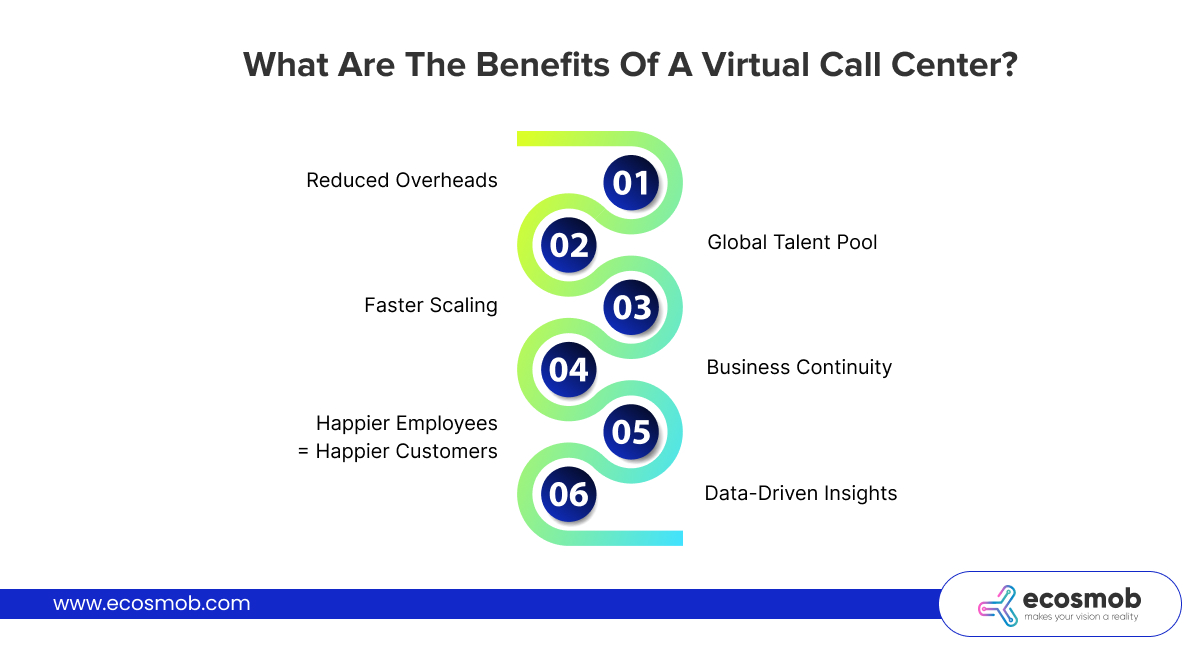
What are the Benefits of a Virtual Call Center?
The benefits of a virtual call center solution are numerous, especially for modern, digitally-driven businesses. Here’s a deeper look –
 1. Reduced Overheads
No office lease, no utility bills, no expensive hardware. You can allocate budget to hiring better talent, marketing, or R&D instead. This is especially important for small and medium-sized businesses.
2. Global Talent Pool
Hire agents from across the world without worrying about relocation. This also allows 24/7 operations, so your customer service doesn’t sleep.
3. Faster Scaling
Adding five or fifty new agents is just a matter of software licenses and training. You don’t need to worry about floor space or desk allocation.
4. Business Continuity
From natural disasters to pandemics, your operations stay unaffected. Everything being cloud-based means your agents just need an internet connection to stay productive.
5. Happier Employees = Happier Customers
Remote agents often report better work-life balance and job satisfaction. Happy employees tend to serve customers better, improving satisfaction and retention.
6. Data-Driven Insights
With powerful analytics built into most virtual call center technology, businesses can uncover customer behavior patterns, agent productivity trends, and improvement areas.
With such clear advantages, it’s easy to see why more businesses are learning how to start a virtual call center to modernize their service delivery.
Tips for Establishing a Virtual Call Center for Your Business
Successfully setting up a virtual call center requires more than just tools and a plan. Here are some practical, experience-based tips –
1. Over-Communicate
In virtual environments, you can’t assume agents understand expectations through osmosis. Be clear, consistent, and repetitive in your communication. Hold daily standups and weekly strategy meetings.
2. Embrace a Culture of Feedback
Use surveys, 1:1s, and open channels to let agents share what’s working and what’s not. Continuous feedback ensures ongoing improvement and keeps teams feeling heard.
3. Document Everything
From call-handling scripts to tech setup guides, good documentation reduces dependency on individual trainers and speeds up onboarding.
4. Promote Ownership
Let agents own certain processes or KPIs. When people feel responsible, they’re more likely to go the extra mile.
5. Invest in Tools That Work Together
Tech stack fragmentation kills productivity. Choose a virtual call center platform that integrates smoothly with your existing tools and CRMs.
These tips, if followed diligently, will set a strong foundation for any organization wanting to explore the best virtual call center companies or establish their own setup.
Drawbacks of Virtual Call Center Software
As much as virtual call centers shine, it’s important to consider the challenges too –
- Digital Fatigue and Isolation – Working remotely can become monotonous. Some agents may struggle without social interaction, which can impact morale and productivity.
- Monitoring Limitations – Despite tech tools, virtual supervision has its limits. It requires a culture of trust and regular performance checks.
- Technical Reliability – Even the best systems experience hiccups. Latency, power outages, or software bugs can temporarily halt operations.
- Security Vulnerabilities – Handling sensitive customer data over the internet requires stringent security policies. Any weak point in the network could lead to breaches.
- Initial Transition Efforts – Businesses shifting from legacy systems may face challenges in migrating data, retraining staff, and adapting to new workflows.
Being aware of these risks prepares you better to mitigate them and build a resilient virtual call center operation.
Wrapping Up
Having a virtual call center software is crucial in today’s fast-evolving digital landscape. It empowers businesses to scale efficiently, support customers across channels, and manage teams globally, all while cutting operational costs and delivering better service experiences.
Tips for an Organized Virtual Call Center Software:
- Prioritize real-time communication tools
- Use performance dashboards for accountability
- Automate repetitive tasks to reduce agent fatigue
Ecosmob can help you build a custom, scalable, and feature-rich virtual call center solution that aligns with your business goals. Whether you’re learning how to start a virtual call center or scaling your existing system, our team ensures smooth integration, personalized support, and long-term success.
Frequently Asked Questions
Virtual call center software is a cloud-based system that allows agents to handle customer service or sales calls from any location using the internet. Unlike traditional call centers, it doesn’t require on-premise hardware and supports remote work, scalability, and flexibility.
Virtual call centers route incoming and outgoing calls through the internet using VoIP technology. Agents log in from desktops, laptops, or mobile devices and access centralized tools for call management, CRM integration, analytics, and team collaboration via the cloud.
Core features include Automatic call distribution (ACD), Interactive voice response (IVR), Call recording and monitoring, Real-time analytics and reporting, CRM integration, Omnichannel support (chat, email, social media), Remote agent access, and workforce management.
Several companies build integrated inbound/outbound call center solutions. Ecosmob Technologies creates fully custom platforms using open-source frameworks like Asterisk, FreeSWITCH, and Kamailio ideal for businesses that need deep customization, white-labeling, and full platform ownership. SaaS providers like Five9, RingCentral, Dialpad, and Bright Pattern offer managed cloud platforms with built-in inbound routing and outbound dialer capabilities. The right choice depends on whether you need a custom-built solution tailored to your infrastructure or a ready-made SaaS platform for faster deployment.
A blended call center runs inbound and outbound operations on a single platform. Agents seamlessly switch between receiving customer calls and making outbound sales or follow-up calls based on real-time queue demand all from one interface with unified CRM data and reporting. Separate systems, by contrast, require agents to use different tools for inbound and outbound, resulting in fragmented data, duplicate CRM entries, and no unified performance visibility for supervisors.
Yes, but the approach depends on your current setup. If you’re on a SaaS platform, check whether the vendor offers native outbound dialer modules that share the same agent interface and CRM integration. If you’re running a custom VoIP-based call center on FreeSWITCH or Asterisk, a development partner like Ecosmob can build a dialer engine that integrates directly into your existing infrastructure adding predictive, progressive, and preview dialing capabilities without replacing your inbound system.
It depends on the campaign type. Predictive dialers work best for high-volume outbound campaigns where maximizing agent talk time is the priority. Progressive dialers are ideal for personalized B2B outreach where call quality matters more than volume. Preview dialers suit complex sales scenarios where agents need to review customer data before initiating the call. Many integrated platforms support all three modes, letting supervisors choose the right dialer for each campaign.
AI enhances both sides of the operation. On the inbound side, AI powers conversational IVR, intelligent routing based on caller intent, real-time transcription, and automated quality scoring. On the outbound side, AI optimizes dialer pacing algorithms, provides real-time sales coaching during calls, automates voicemail detection, and scores lead quality based on conversation analysis. When both operate on a unified platform, AI can also identify cross-sell opportunities from inbound support interactions and automatically queue them as outbound follow-ups.