
Your platform handles concurrent calls perfectly. Media servers have headroom. Bandwidth is abundant. Then a major campaign launches and generates far more simultaneous call setups than expected, and everything fails. Not because you’re out of capacity, but because your SIP signaling layer can’t process setup messages fast enough.
This is the CPS bottleneck. CPS (Calls Per Second) measures how many new call setup requests your platform can process per second.
It’s different from concurrent calls. You can have thousands of active calls, but if new calls arrive faster than your platform processes them, setup fails. When your CPS limit is exceeded, customers get “all circuits busy” errors even though your media servers sit mostly idle.
The CPS bottleneck is invisible until it hits. Most platforms are architected for average load, completely blind to the signaling throughput ceiling that determines whether you handle peak demand or collapse catastrophically.
The difference between platforms that scale reliably and those that fail comes down to architectural decisions made months earlier: whether your SIP proxy routes statelessly or maintains per-call state, whether database queries happen synchronously in call setup paths or asynchronously in background processes, and whether media servers engage for every call or only when necessary.
This blog explains how you can optimize CPS in CPaaS, and the architectural principles that separate reliable CPaaS platforms from those that fail exactly when customers need them most.
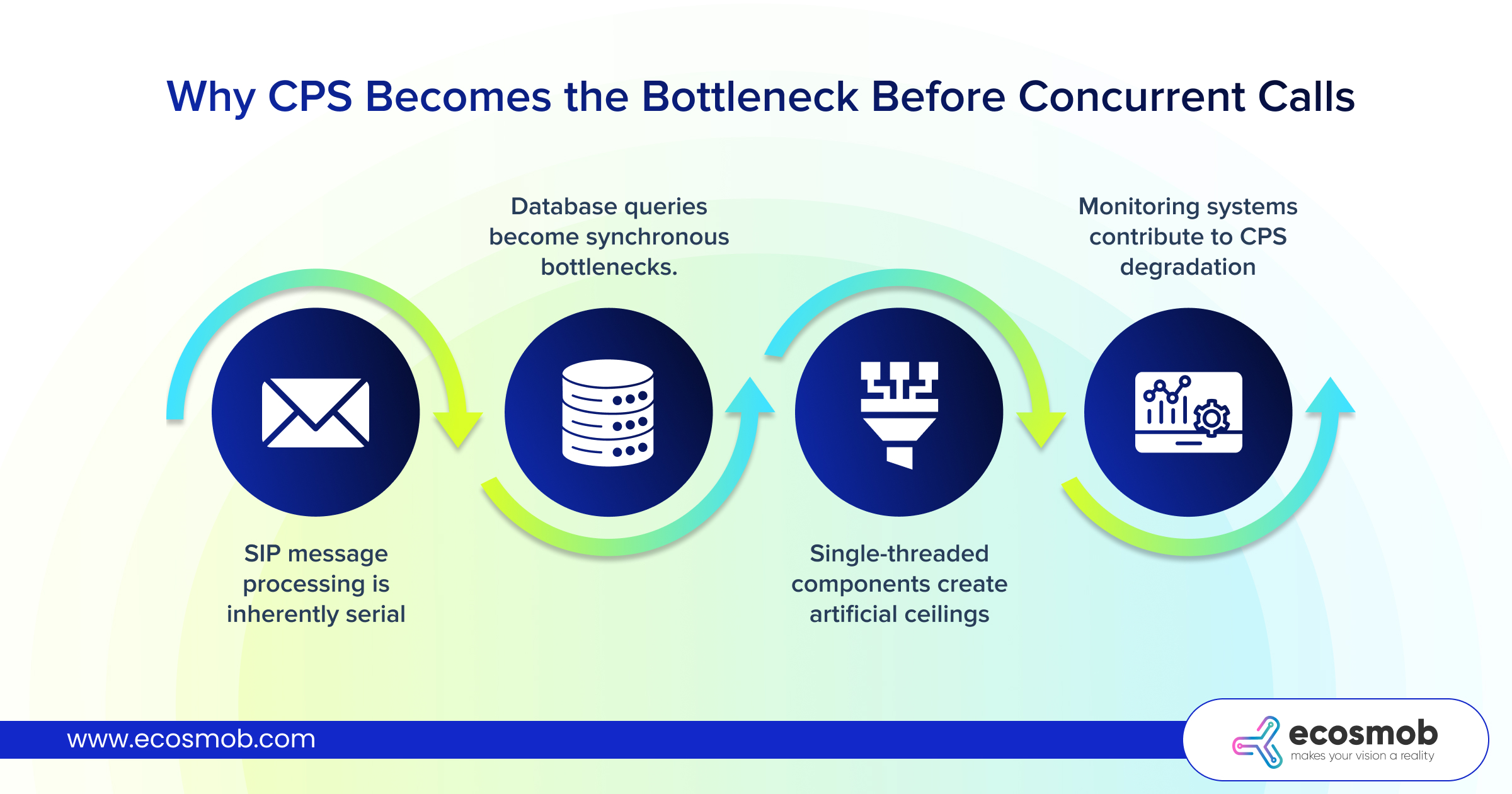
Why CPS Becomes the Bottleneck Before Concurrent Calls
 Traditional thinking assumes concurrent call capacity limits CPaaS platforms first. The math looks solid until you realize that call setup processing (not media handling) becomes the chokepoint.
SIP message processing is inherently serial.
Every inbound call requires sequential SIP message handling: parse INVITE, authenticate credentials, query routing database, apply business rules, select outbound trunk, generate outbound INVITE, process provisional responses, handle final answer, and establish media path.
Each step consumes CPU cycles and introduces latency.
When calls arrive faster than your SIP stack processes them, queues build. Processing delays compound. New calls wait behind existing processing, creating cascading delays that manifest as setup failures.
Database queries become synchronous bottlenecks.
Authenticating users, retrieving routing rules, checking account balances, logging CDRs, each operation queries databases.
When CPS increases, database connection pools are exhausted. The queries queue is waiting for available connections. Set up latency balloons from milliseconds to seconds. Timeout thresholds trigger. Calls fail even though your media servers sit mostly idle.
Single-threaded components create artificial ceilings.
Many SIP stacks use single-threaded architectures for specific processing stages. No amount of CPU cores helps when a single thread must sequentially process every call setup message. These architectural limitations don’t appear in vendor specifications. You usually discover them during your first traffic spike.
Monitoring systems contribute to CPS degradation.
Comprehensive logging sounds essential until you realize writing detailed logs for every SIP message at high CPS generates thousands of disk writes per second. I/O contention develops. Disks become bottlenecks.
SSDs help, but don’t eliminate the fundamental problem: aggressive monitoring during high CPS periods steals resources from actual call processing.
Component-Level Architecture for CPaaS Performance Optimization
CPaaS uptime optimization for high CPS requires understanding which components influence call setup throughput and how architectural decisions either enable or constrain scale.
SIP Proxy Layer as the CPS Foundation
Your SIP proxy (Kamailio, OpenSIPS, proprietary solutions) processes every call setup message. Production systems achieving 100 CPS typically require purpose-built configurations, not default installations.
Stateless routing wherever possible.
Stateful SIP proxies maintain transaction state for every call (memory consumption and processing overhead that limits CPS). Stateless proxies route messages without maintaining state, dramatically increasing throughput.
- Configure stateless routing for straightforward scenarios.
- Reserve stateful processing only for scenarios requiring transaction awareness.
In-memory routing tables eliminate database queries.
Loading routing rules into shared memory (Kamailio’s htable, OpenSIPS’s cache) eliminates database queries during call setup. Instead of querying databases for every INVITE to determine routing, the proxy performs in-memory lookups, completing in microseconds.
- Update routing tables asynchronously in background processes, not during call processing critical paths.
Connection pooling to downstream components.
Your SIP proxy establishes connections to media servers, SBCs, and trunk providers. Creating new TCP/TLS connections per call introduces latency.
- Maintain persistent connection pools to all downstream components.
- Reuse existing connections for new calls, eliminating setup overhead.
Media Server Optimization for High CPS
Media servers (FreeSWITCH, Asterisk) handle RTP streams for active calls but also participate in call setup signaling. Their CPS capacity directly impacts your platform’s overall throughput.
Separate signaling and media processing.
- Deploy media servers in signaling-only mode for simple pass-through calls where no transcoding, recording, or IVR interaction occurs.
The SIP proxy handles signaling completely; media flows peer-to-peer between endpoints. Media servers only engage when their capabilities are actually required. This architectural separation dramatically increases effective CPS because most calls don’t need media server processing.
Database I/O offloading prevents CPS degradation.
- Move database files to RAM disks (tmpfs), eliminating physical disk I/O during call processing.
- Accept that database state is volatile for non-critical data, or implement periodic background syncs to persistent storage outside call processing paths.
Logging level reduction under load.
Detailed SIP message logging helps with troubleshooting, but kills CPS.
- Configure adaptive logging that reduces verbosity automatically when CPS exceeds thresholds.
- Log only call failures and critical events during peak periods.
- Re-enable detailed logging when load normalizes.
Session Border Controllers for CPS Management
SBC solutions sit at network edges, handling protocol normalization, security, and NAT traversal. Their CPS capacity often becomes the platform bottleneck.
Rate limiting prevents CPS storms.
- Implement intelligent rate limiting that differentiates between legitimate traffic spikes and attack patterns.
- Allow trusted enterprise clients higher CPS limits than unknown sources.
- Use token bucket algorithms that permit brief bursts above sustained rates, accommodating natural traffic variance without rejecting legitimate calls.
SBC clustering distributes CPS load.
Single SBC deployments create CPS ceilings; clustered architectures distribute load across multiple SBC instances. DNS SRV records or dedicated load balancers distribute incoming traffic. Each SBC handles a subset of the total CPS, and the cluster scales horizontally by adding instances.
Protocol-specific optimizations.
- Enable SIP compact headers, reducing message sizes and parsing overhead.
- Disable unnecessary SIP extensions that add processing complexity without delivering value for your use cases.
- Configure aggressive SIP timer values that fail calls faster when remote endpoints don’t respond, preventing resource exhaustion from hung transactions.
Comparing CPS Performance Across Vendors and Configurations
Vendor marketing materials usually claim impressive CPS numbers that rarely match production reality. Understanding how to evaluate CPS performance objectively can help you prevent costly deployment mistakes.
Benchmarking Methodology That Reveals Truth
Sustained CPS vs. Burst CPS
Vendors often publish burst CPS figures (peak throughput sustained for 30 seconds during testing). If it’s missing, request sustained CPS specifications: throughput maintained for extended periods without degradation. This metric reveals architectural limitations that burst testing hides.
Production systems must handle sustained CPS for hours during peak periods.
CPS Under Realistic Call Patterns
Simple call flow testing (INVITE → 200 OK → ACK → BYE) generates optimistic CPS numbers. Real calls include authentication challenges, routing lookups, CDR generation, and billing events. Test CPS under scenarios matching your actual traffic: authenticated calls, database-backed routing decisions, concurrent CDR writes.
Note: Expect CPS to drop substantially compared to simple test scenarios.
Concurrent Features Impact
Enabling call recording, real-time analytics, fraud detection, or advanced routing features consumes resources that reduce CPS. That is why, test with all production features enabled simultaneously, not isolated capability testing. The gap between feature-enabled and feature-disabled CPS reveals your platform’s true operational capacity.
Red Flags in Vendor CPS Claims
Specifications Without Deployment Details
“Supports 500 CPS” means nothing without context: hardware specifications, concurrent call count, features enabled, call duration patterns. Demand complete test scenario documentation. Vendors providing vague specifications likely haven’t validated claims under realistic conditions.
Linear Scaling Assumptions
“One server handles 50 CPS, so ten servers handle 500 CPS” ignores shared bottlenecks (database servers, load balancer capacity, network bandwidth). Test multi-server deployments under load to verify actual scaling characteristics. Non-linear scaling is common; assume diminishing returns as you add servers.
“Typical” vs. “Maximum” Specifications
Some vendors quote “typical” CPS (average sustained load) alongside “maximum” CPS (burst capacity). Others publish only maximum figures, misleading buyers about sustained throughput. Always clarify: are published specifications sustained rates or brief bursts?
Real-Time CPS Monitoring and Capacity Planning
You can’t optimize what you don’t measure. Effective CPaaS uptime optimization requires monitoring systems that predict CPS exhaustion before it impacts customers.
Per-Second Granularity Matters
CPS, by definition, is a per-second measurement. Minute-averaged or five-minute-averaged metrics hide critical spikes. Traffic patterns aren’t smooth since calls arrive in bursts.
- Monitor and alert on per-second CPS, with attention to peak values within each minute.
Threshold-Based Alerting With Headroom
Don’t wait until CPS reaches platform limits to alert.
- Set warnings at safe percentages of known capacity, critical alerts before actual failures.
This provides time to respond (activate additional capacity, throttle non-critical traffic, communicate with customers) before actual failures occur.
Historical Pattern Analysis for Capacity Planning
- Track CPS patterns across time: hourly trends, day-of-week variations, seasonal patterns, client-specific behavior.
- Identify growth trends and capacity exhaustion timelines.
- Plan infrastructure expansion proactively based on trend analysis, not reactively after failures.
Correlation Between CPS and Call Success Rates
- Plot CPS against the call setup success percentage over time.
The inflection point where the success rate begins declining reveals your platform’s practical CPS limit. This empirically-derived threshold is more accurate than vendor specifications or theoretical calculations.
Ecosmob Expert Tip
Before pursuing expensive hardware upgrades to increase CPS, audit your call flows for unnecessary processing steps. Simple architectural cleanup often doubles CPS capacity without hardware changes.
FreeSWITCH and Kamailio Optimization Techniques (for Higher CPS)
These open-source platforms power many CPaaS deployments. There are specific configuration optimizations that dramatically improve their CPS capacity.
FreeSWITCH CPS Optimization
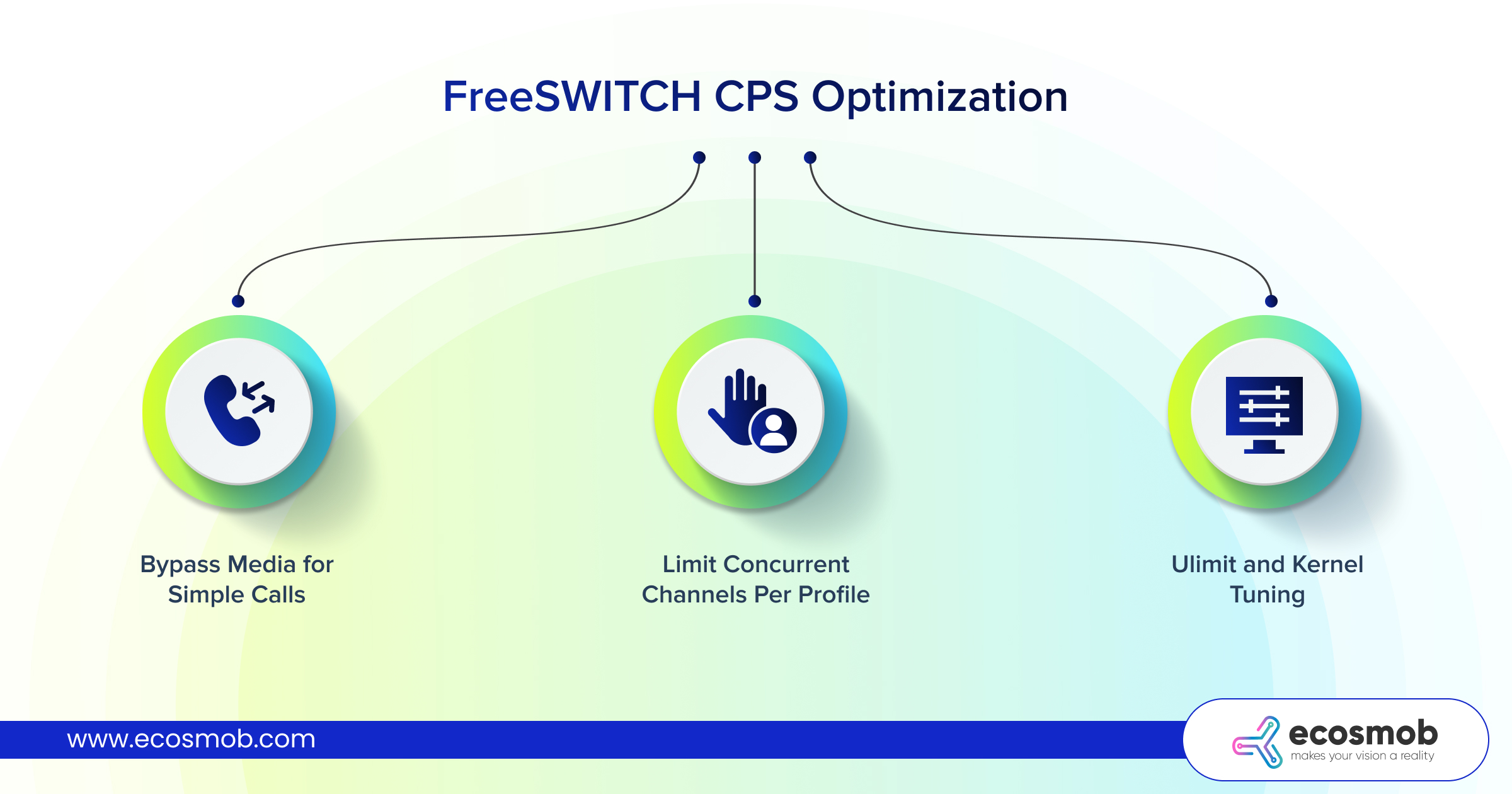 Bypass Media for Simple Calls
Configure dialplan to use bypass_media whenever possible.
This keeps FreeSWITCH in the signaling path but removes it from the media path. RTP flows directly between endpoints. FreeSWITCH processes fewer packets, increasing CPS capacity for remaining calls that require media processing.
Limit Concurrent Channels Per Profile
Set aggressive limits on concurrent channels per SIP profile to prevent resource exhaustion.
When one profile approaches capacity, route new calls to alternate profiles/servers. This controlled degradation prevents complete system collapse during overload.
ulimit and Kernel Tuning
Production FreeSWITCH deployments require specific ulimit settings. Default Linux limits constrain high-CPS scenarios.
Apply recommended settings during system initialization, not after discovering problems during production traffic spikes.
Kamailio CPS Optimization
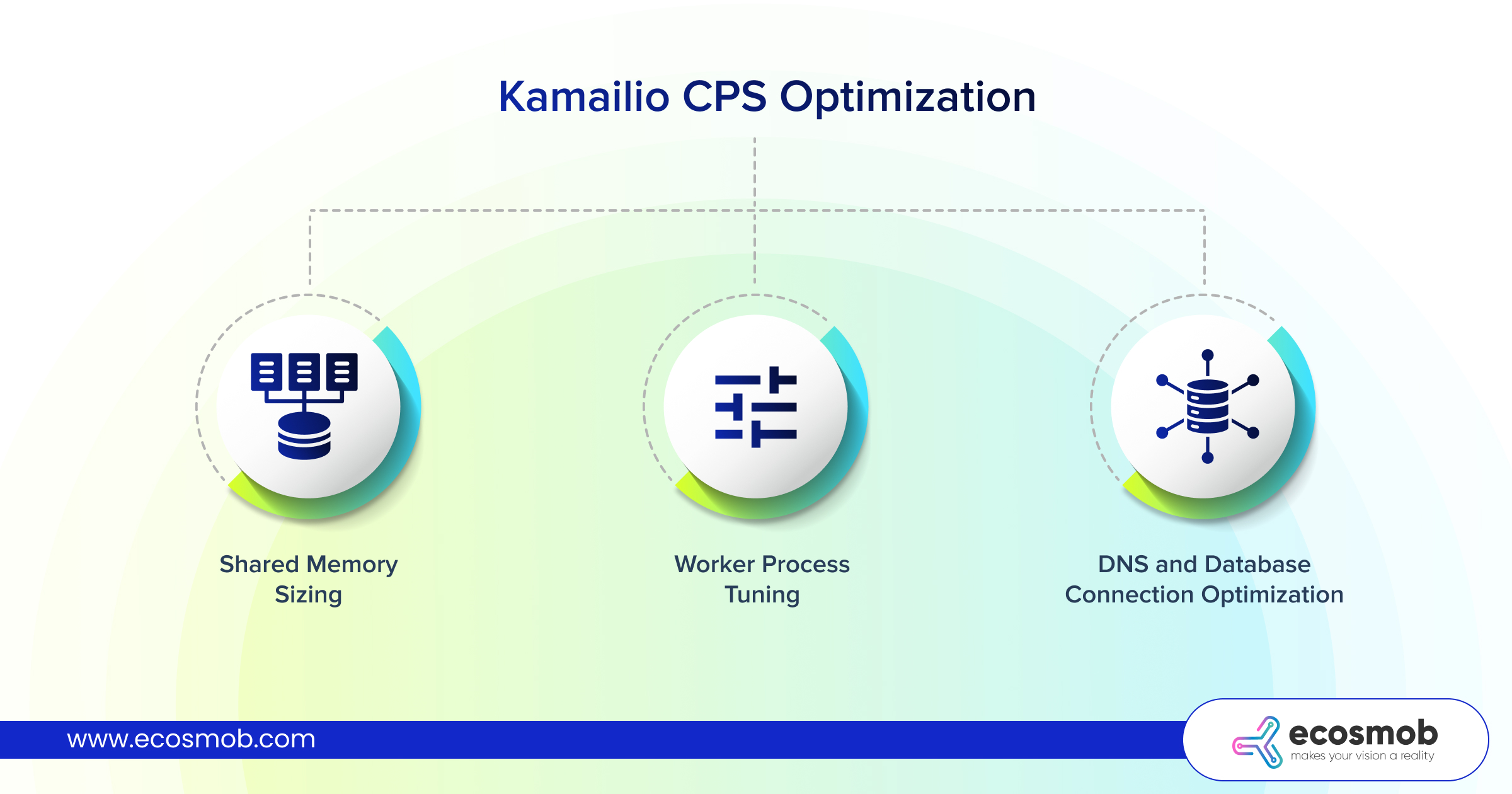 Shared Memory Sizing
Kamailio uses shared memory for routing tables, dialog tracking, and inter-process communication. Default allocations constrain high-CPS deployments.
Increase shared memory substantially for deployments targeting high CPS with complex routing logic.
Worker Process Tuning
Kamailio’s multi-process architecture distributes load across worker processes.
Configure enough workers to parallelize processing without creating excessive context switching overhead.
Monitor per-process load; uneven distribution indicates routing logic sending disproportionate traffic to specific workers.
DNS and Database Connection Optimization
DNS lookups during call setup introduce latency.
Implement aggressive DNS caching with long TTLs for stable infrastructure. Database connection pools should significantly exceed peak concurrent transaction requirements.
CPaaS performance optimization for high CPS is mostly about architectural decisions made long before your first traffic spike.
The platforms that handle peak demand reliably share common characteristics: SIP proxies optimized for stateless routing, media servers only engaged when necessary, databases accessed through in-memory caches, and monitoring systems that detect capacity exhaustion early enough to respond.
The platforms that fail share different characteristics: monolithic architectures where every component touches every call, synchronous database queries in call setup critical paths, aggressive logging that prioritizes diagnostics over throughput, and monitoring that reports problems after customers already experienced failures.
Every day you operate infrastructure optimized for average load instead of peak demand, you’re one campaign launch away from platform failure during the exact moment your customers need you most.
Ready to optimize CPS in CPaaS with infrastructure that handles peak traffic without degradation?
Connect with engineers who’ve architected these systems for scale!
Frequently Asked Questions
Increase CPS through architectural optimization: implement stateless SIP routing where possible, move routing tables to in-memory caches, eliminating database queries during call setup, enable bypass_media mode for simple calls, and cluster components horizontally to distribute load.
The SIP proxy layer processes every call setup message and becomes the primary CPS bottleneck. Database query patterns during authentication and routing create secondary bottlenecks. Media servers contribute when handling signaling for pass-through calls. SBCs at network edges enforce rate limits and perform security processing that impacts throughput.
SBCs can both improve and limit CPS depending on the configuration. Properly configured SBCs with rate limiting prevent CPS storms from overwhelming downstream infrastructure. However, protocol normalization, security processing, and transcoding features consume resources that reduce maximum CPS.
Demand sustained CPS specifications (extended duration) rather than burst figures, require complete test scenario documentation, including hardware specs and enabled features. Also, test under realistic call patterns including authentication and routing lookups, verify multi-server scaling characteristics, and distinguish between “typical” and “maximum” CPS claims.
Monitor per-second CPS granularity (not minute-averaged), track call setup success rates correlated with CPS levels, set alerts before reaching capacity thresholds, analyze historical CPS patterns for capacity planning, and measure per-component processing latency to identify which elements become bottlenecks first.