

Your customer support team answers hundreds of calls daily through traditional phone systems. Each interaction requires customers to find phone numbers, dial manually, wait through IVR menus, and hope they reach the right department.
Meanwhile, your competitor embedded a click-to-call button directly in their web application using Asterisk WebRTC configuration. Their customers start conversations instantly from product pages, checkout flows, and support articles without leaving the browser.
The engagement gap isn’t about call quality or agent availability, but about eliminating friction. Every step between recognizing a need and connecting with support creates abandonment opportunities. Traditional telephony stacks each barrier high: locate contact information, switch applications, navigate phone menus, and explain context that was visible on the webpage but invisible to the agent.
Asterisk WebRTC integration solves this by bringing real-time voice and video communication directly into web browsers and mobile apps without requiring users to install anything.
This blog breaks down the technical implementation patterns, capacity planning considerations, and architectural decisions that determine whether your Asterisk WebRTC deployment becomes a competitive advantage or another failed technology experiment.
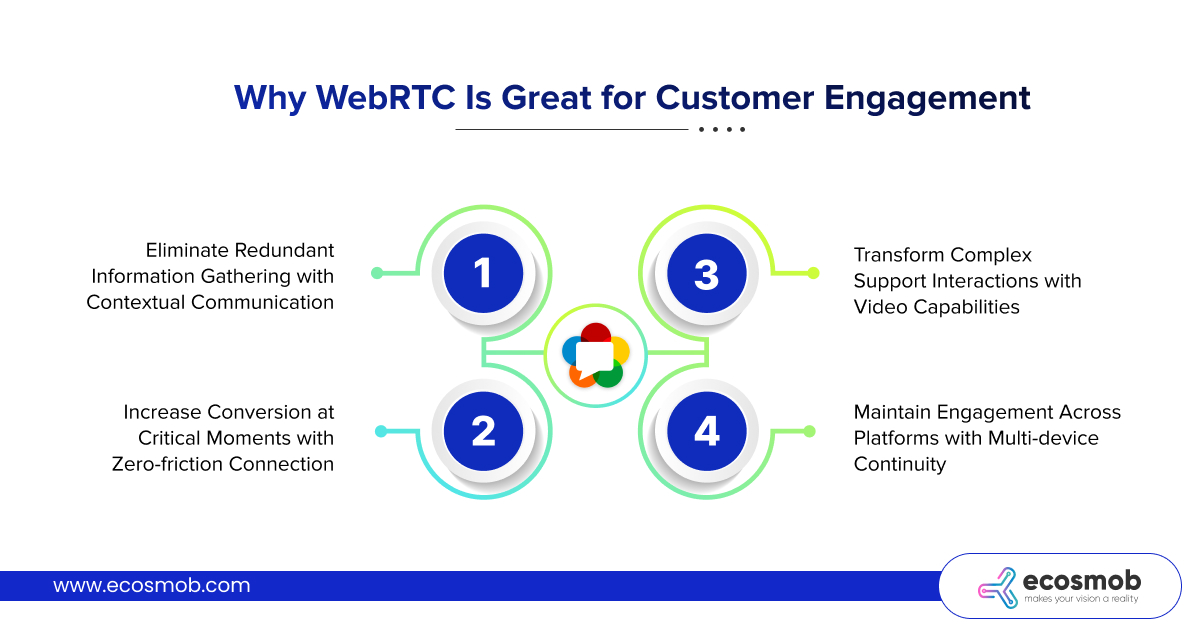
Why WebRTC Is Great for Customer Engagement
 Traditional contact center architecture creates inherent friction. Customers must context-switch from your application to their phone, losing visual context. Agents receive calls with zero information about what the customer was doing when they decided to reach out. The entire interaction starts from scratch, wasting time re-establishing context that was obvious seconds earlier.
Eliminate Redundant Information Gathering with Contextual Communication
When customers click call buttons embedded in your web application, you can pass complete context to Asterisk WebRTC endpoints: which product page they’re viewing, items in their cart, their account status, previous support interactions.
Agents receive calls with full context displayed instantly, eliminating “What can I help you with today?” exchanges. Conversations start where they should (solving the actual problem), not by collecting information your system already knows.
Increase Conversion at Critical Moments with Zero-friction Connection
E-commerce checkout abandonment often happens when customers have questions, but calling support feels like too much effort. Embedding Asterisk WebRTC configuration into checkout flows provides instant access to sales assistance without leaving the transaction page. Customers click, wait seconds for a connection, get answers, and complete purchases, all without interrupting their buying momentum.
Transform Complex Support Interactions with Video Capabilities
Some problems can’t be diagnosed through voice alone. When customers describe technical issues, visual confirmation eliminates ambiguity. An Asterisk WebRTC setup supports bidirectional video, allowing agents to see exactly what customers see.
Tech support can visually confirm installation problems, sales teams can demonstrate product features in real-time, and service teams can assess damage during insurance claims (through browser-based video that requires zero customer setup).
Maintain Engagement Across Platforms with Multi-device Continuity
Your customers don’t stay on desktop browsers. They switch between phones, tablets, and computers constantly. An Asterisk WebRTC configuration enables seamless communication continuity (calls can start on desktop and continue on mobile as customers move).
The underlying SIP infrastructure that Asterisk provides ensures consistent quality and feature availability regardless of which device initiates the connection.
Architecture for Integrating WebRTC Into Asterisk PBX
Production Asterisk WebRTC integration requires understanding how WebRTC’s browser-based protocols interact with Asterisk’s SIP-based architecture. The integration isn’t simply enabling a module; it’s bridging fundamentally different communication paradigms.
Core Asterisk Modules for WebRTC Support
Modern Asterisk versions include native Asterisk WebRTC support through specific modules that must be properly configured.
- The res_http_websocket module enables WebSocket connections that browsers use for SIP signaling instead of UDP or TCP.
- The chan_pjsip module handles SIP protocol translation between WebRTC clients and traditional SIP endpoints.
- The res_rtp_asterisk module manages media streams, while res_srtp provides encryption for secure media transmission that WebRTC mandates.
- Setting up TLS and DTLS for secure Asterisk WebRTC calls requires proper certificate configuration in /etc/asterisk/http.conf for signaling encryption and DTLS-SRTP setup in PJSIP transport configuration for media encryption (security isn’t optional in WebRTC implementations).
WebSocket Signaling and Media Path Separation
Asterisk WebRTC configuration separates signaling (call setup, teardown, control messages) from media (actual audio/video streams).
Signaling flows over secure WebSockets (WSS protocol) on standard HTTPS ports, allowing connections through corporate firewalls that block traditional SIP ports.
Media flows via SRTP (Secure Real-time Transport Protocol) using ICE (Interactive Connectivity Establishment) for NAT traversal, ensuring audio and video work even when clients sit behind restrictive network configurations.
This architectural separation allows Asterisk to optimize each path independently: signaling connections maintain persistent WebSocket channels for instant call initiation, while media paths establish direct peer connections when possible or route through Asterisk’s media server when necessary for codec transcoding or recording.
SIP.js and WebRTC Client Integration
Browser-based Asterisk WebRTC clients typically use SIP.js, a JavaScript library providing WebRTC-compatible SIP stack functionality. SIP.js handles browser media access (getUserMedia API for microphone/camera), WebSocket connection management to Asterisk, SDP (Session Description Protocol) negotiation for codec selection, and ICE candidate exchange for optimal media routing.
Your web application imports SIP.js, configures connection parameters pointing to Asterisk’s WebSocket endpoint, and implements call control through straightforward JavaScript methods.
The integration maintains separation of concerns. Asterisk handles server-side telephony logic (routing, conferencing, recording, IVR integration), while SIP.js manages browser-side WebRTC complexities (media device access, codec negotiation, network traversal).
Programming Languages and APIs for Asterisk WebRTC Integration
| Component | Primary Technologies | Purpose | Why It Matters |
| Client-Side | JavaScript, SIP.js, WebRTC Browser APIs | Browser-based calling interface | Enables plugin-free communication directly in web browsers |
| Server Integration | Asterisk Dialplan (extensions.conf), PJSIP Configuration | Call routing, user authentication, feature logic | Connects WebRTC clients to existing PBX infrastructure |
| Backend Services | Python/Node.js with Asterisk AMI/ARI | Custom business logic, CRM integration, analytics | Enables context-aware calling with customer data integration |
| Mobile Apps | React Native, Cordova with SIP libraries | Cross-platform mobile WebRTC clients | Extends browser-based engagement to native mobile experiences |
Concurrent User Capacity Planning for Asterisk WebRTC Setup
The question “How many WebRTC users can Asterisk support concurrently?” doesn’t have a single answer. Capacity depends on hardware resources, codec selection, whether calls require transcoding, and whether you’re enabling features like recording or conferencing. WebRTC mandates SRTP encryption for all media, adding CPU overhead compared to unencrypted RTP. Browser clients often use the Opus codec, requiring transcoding when connecting to traditional SIP endpoints using G.711 or G.729, further increasing processing requirements.
Hardware Sizing Guidelines for Asterisk WebRTC Deployments
A server with a modern multi-core CPU, adequate RAM, and SSD storage typically handles several hundred concurrent WebRTC sessions without transcoding. When transcoding is required, capacity drops significantly.
Video calls consume substantially more resources than audio-only calls. Servers handling hundreds of concurrent audio calls might support far fewer concurrent video sessions, depending on resolution.
Scaling Strategies for High-Volume Deployments
Single-server Asterisk WebRTC setup works well for hundreds of concurrent users. Beyond that, horizontal scaling becomes essential.
- Deploy multiple Asterisk servers behind SIP load balancers (Kamailio, OpenSIPS) that distribute incoming WebRTC connections across server pools.
- Use Asterisk’s real-time database architecture to share user configuration and presence information across servers, ensuring users can connect with any server in the cluster while maintaining consistent feature access.
Monitoring Capacity Indicators
It’s important to track:
- CPU utilization per core (Asterisk is multi-threaded, so per-core metrics matter more than overall CPU)
- RTP packet loss and jitter statistics (media quality indicators)
- WebSocket connection count and establishment times (signaling layer health)
Transcoding channel count (resource-intensive operations)
Also, set alerts when metrics approach capacity thresholds, allowing proactive scaling before quality degrades.
Cost Reduction Strategies Through an Asterisk WebRTC Setup
Asterisk WebRTC integration delivers measurable cost reductions across multiple dimensions beyond just eliminating per-minute PSTN charges.
Eliminate Hardware Infrastructure Costs
Traditional contact centers require desk phones for every agent position. Each phone represents capital expense (hardware purchase), ongoing maintenance, and replacement cycles.
Asterisk WebRTC eliminates this completely because agents use browsers on existing computers or mobile devices. For remote teams, this advantage multiplies since there are no shipping phones to home offices, no troubleshooting physical hardware remotely, and no managing phone inventory.
Reduce Telecom Circuit Costs
PSTN trunk capacity must be provisioned for peak load even if average usage is much lower. You pay for unused capacity during off-peak hours. Asterisk WebRTC uses the internet bandwidth you’re already paying for, and capacity scales elastically with actual usage.
Bandwidth costs are typically a fraction of PSTN trunking costs, especially for international calling, where per-minute PSTN rates remain high.
Lower Support Overhead Through Self-Service
Browser-based calling with context awareness enables sophisticated self-service scenarios. Customers can access visual IVR interfaces that combine voice interaction with on-screen information, reducing call handling time.
When escalation to live agents is necessary, the context collected during self-service passes to agents, eliminating redundant questions and shortening average handle time.
Enable Efficient Remote Workforce
Asterisk WebRTC setup allows remote agents to handle customer calls with identical quality and features as on-premise agents. No VPN requirements for voice traffic, no dedicated circuits to home offices; agents need only internet connectivity. This expands hiring geographic reach while reducing facility costs.
Load Balancing Asterisk WebRTC Setup for High Availability
Single-server deployments create single points of failure. Production Asterisk WebRTC architectures require load balancing that distributes traffic across multiple servers while maintaining session consistency.
SIP Load Balancer Placement
Deploy Kamailio development services or OpenSIPS as SIP load balancers in front of Asterisk servers. WebRTC clients connect to load balancer addresses, which distribute registrations and calls across backend Asterisk instances based on capacity metrics. Load balancers perform health checks on Asterisk servers, automatically routing around failed instances without dropping active calls.
Session Affinity for WebRTC Connections
Unlike traditional SIP phones that re-register periodically, WebRTC clients maintain persistent WebSocket connections. Load balancers must implement session affinity, ensuring subsequent requests from the same WebRTC client route to the same Asterisk server.
This prevents state synchronization issues while allowing new connections to distribute across servers for balanced load.
Geographic Distribution for Latency Optimization
For global deployments, deploy Asterisk WebRTC servers in multiple regions with GeoDNS routing clients to the nearest infrastructure. This reduces signaling latency and improves media quality by minimizing network hops between clients and servers. Cross-region failover provides disaster recovery capability (if one region fails, GeoDNS automatically redirects new connections to healthy regions).
Ecosmob Expert Tip
When implementing Asterisk WebRTC load balancing, configure separate health check endpoints that verify both signaling (WebSocket) and media (RTP) capabilities. Some failures affect only media processing while leaving signaling functional, creating situations where calls connect but have no audio. Comprehensive health checks prevent routing traffic to partially degraded servers.
The businesses winning customer engagement battles aren’t necessarily offering better products; they’re eliminating friction from every interaction. Asterisk WebRTC integration transforms your communication infrastructure from a barrier requiring deliberate effort into an invisible utility that appears exactly when customers need it.
The implementation matters enormously. Properly configured Asterisk WebRTC setup scales from hundreds to thousands of concurrent users while maintaining carrier-grade audio quality and sub-second connection times.
Poorly implemented systems create new frustrations: failed connections, one-way audio, dropped calls, and security vulnerabilities. The difference isn’t the technology, it’s the expertise applied during integration.
Your competitors are already embedding browser-based calling into customer touchpoints that matter. Every day you delay adds to the engagement gap they’re building.
Ready to eliminate communication friction that’s costing you customers?
Work with expert engineers who’ve solved these problems at scale!
Frequently Asked Questions
Enable Asterisk WebRTC by configuring res_http_websocket for signaling, setting up chan_pjsip with WebSocket transport and DTLS-SRTP encryption, and implementing browser clients using SIP.js to connect to Asterisk’s secure WebSocket endpoint.
An Asterisk WebRTC setup eliminates friction by enabling instant browser-based calling without downloads or context-switching. Customers click buttons embedded in web pages and connect immediately, while agents receive calls with full context about what customers were doing when they reached out.
Asterisk WebRTC capacity varies by hardware and configuration. Properly configured servers handle several hundred concurrent WebRTC sessions. With transcoding (common when connecting to traditional SIP endpoints), expect capacity to reduce significantly. Scale beyond single-server limits using load balancers and clustered architectures.
Yes. Asterisk WebRTC eliminates desk phone hardware costs, reduces PSTN trunking expenses by using internet bandwidth, enables efficient remote agent deployment without VPN overhead, and shortens call handling time through context-aware interactions.
Asterisk WebRTC configuration requires TLS for WebSocket signaling and DTLS-SRTP for media encryption. Implement proper SIP authentication, rate limiting to prevent toll fraud, firewall rules restricting management interfaces, and regular security updates to address vulnerabilities.