










QUICK SUMMARY
This blog walks you through how FreeSWITCH and real-time speech recognition come together to create AI-driven call flows that respond to what callers say, not what they press. You’ll learn the exact building blocks, integration steps, and design principles that make these AI workflows smooth, scalable, and ready for real-world call volumes.
Before you scroll, pause a second. Think about your current call system:
- Still menu-driven?
- Still forcing callers to repeat information to agents?
- Still incapable of understanding intent?
If even one of those points feels familiar, you’re in the right place. And no, this isn’t another high-level theory piece. This is the part where things finally click.
Here’s the part most teams get wrong:
Everyone wants AI-powered call automation, but everyone assumes it requires a new platform.
It doesn’t.
You already have FreeSWITCH, and most FreeSWITCH development setups already contain the pieces needed to support AI, they just aren’t wired for it yet.
What’s missing is speech recognition and the ability for the system to listen, not just route.
And once those two connect, the call flow changes from scripted menus to real conversation, and yes, that shift is happening fast.
And that raises an obvious question:
A conversational call system behaves very differently once speech recognition joins the loop.
How Do FreeSWITCH and Speech Recognition APIs Work Together?
At the core, FreeSWITCH handles the call, SIP signaling, media, routing, conferencing, all the telephony stuff it’s great at. But on its own, FreeSWITCH doesn’t understand what the caller is saying. It just knows there’s audio.
That’s where a Speech Recognition API enters the picture.
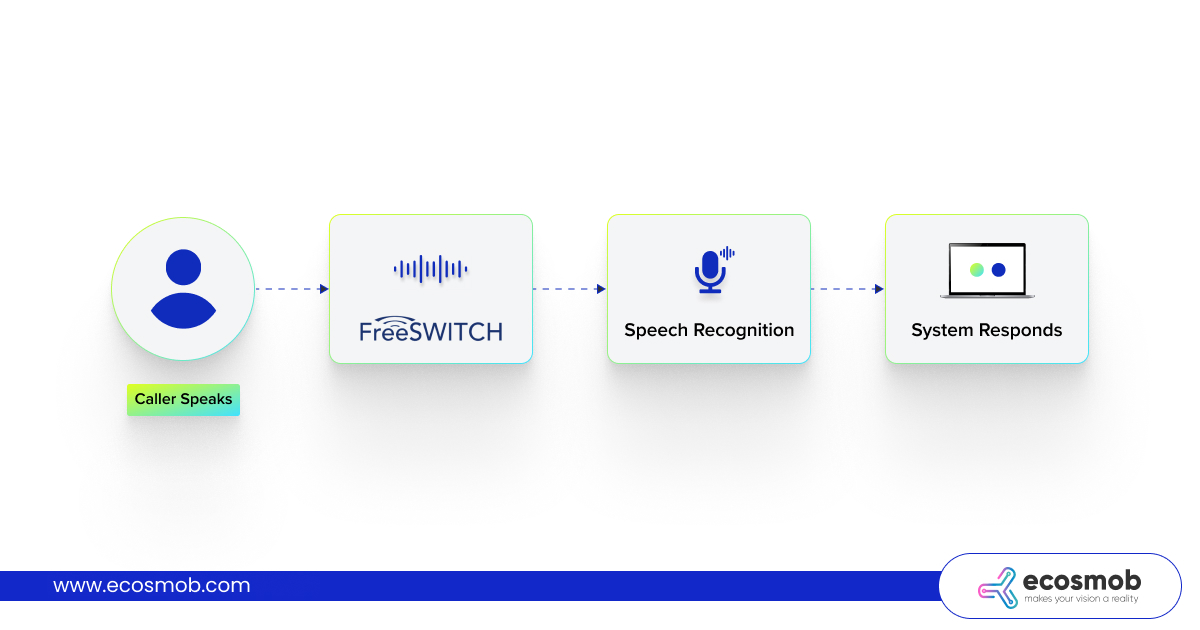
Step 1: FreeSWITCH Streams Caller Audio
When someone speaks, FreeSWITCH can send the audio to a speech recognition engine in one of two ways:
- Real-time streaming: Best for live IVR solutions, agent assist, and AI-driven call flows where decisions happen in milliseconds.
- Buffered / batch mode: Useful for post-call compliance, summaries, or analytics, not something you’d use for an active call flow.
For AI routing or conversational IVR, streaming is the only mode that makes sense.
Step 2: Speech Recognition Converts Speech to Text
Once audio hits the API, the speech recognizer processes it and returns text, but not just plain text.
Modern speech recognition platforms also return:
- Intent
- Context
- Entities (like dates, numbers, product names, order IDs)
This is where things start to get smarter.
Step 3: Intent Drives the Call Logic
Instead of predefined menus like:
You start working with meaning:
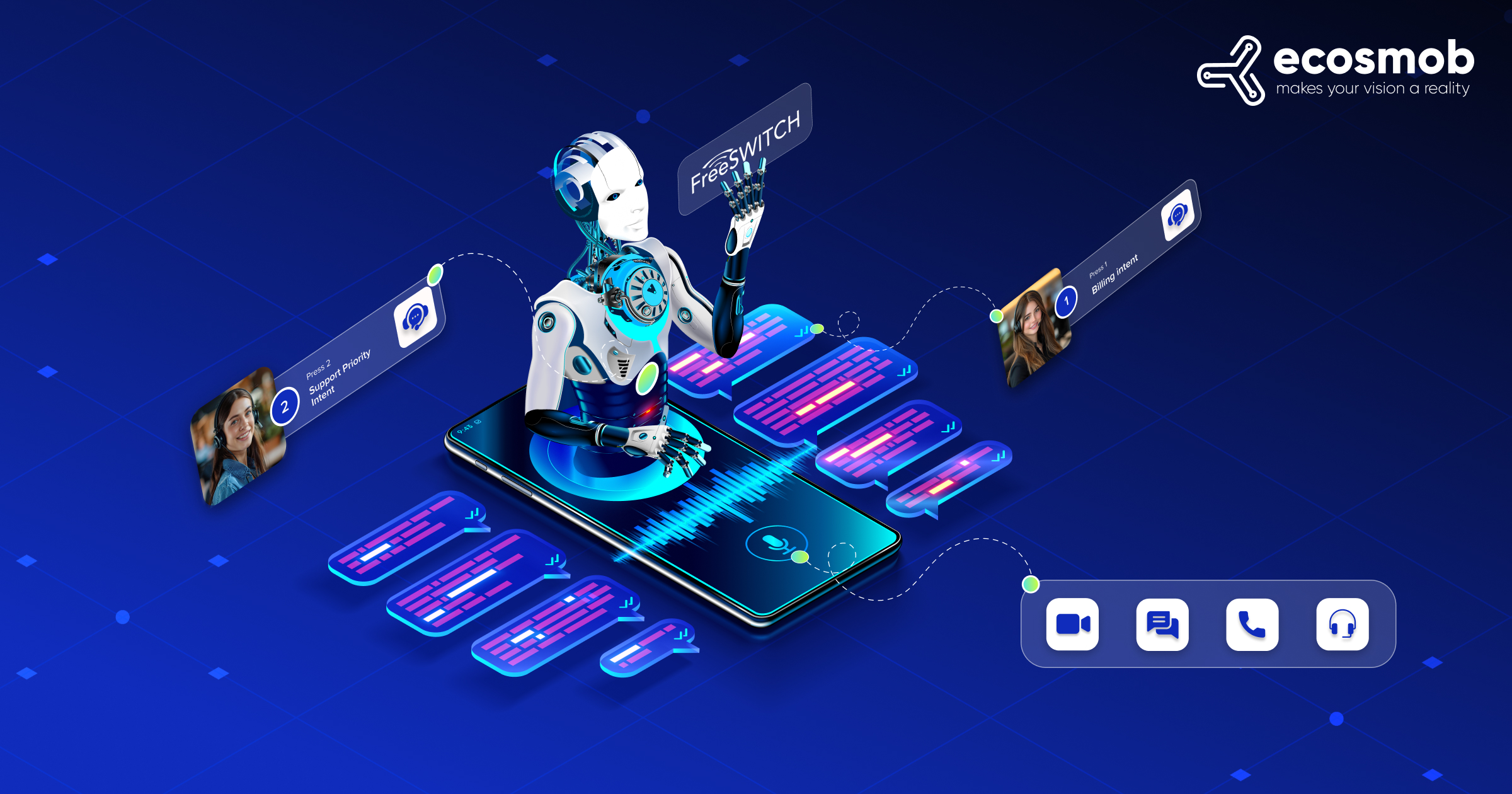
- “I want to renew my subscription.” → Billing intent
- “My service is down.” → Support priority intent
- “Call me back later.” → Callback automation
Now the call flow isn’t linear but dynamic, which is exactly where a custom voicebot connector helps.
Step 4: AI Models Make It Contextual
If you’re plugging in an NLP engine or an LLM, this is where it sits.
It can:
- Interpret ambiguous phrasing
- Maintain conversation history
- Decide the next best action based on logic or data
Think of it as the “brain” sitting between the transcription and the telephony layer.
Step 5: FreeSWITCH Executes the Decision
Once the AI layer chooses the next step, FreeSWITCH handles execution:
- Route the call
- Trigger an IVR response
- Send a prompt back via TTS
- Transfer to an agent
- Log the event in CRM
- Send SMS or follow-up action
This is where the FreeSWITCH API becomes essential, since it enables external logic to control actions without hardcoding everything into the dialplan.
FreeSWITCH remains the real-time media and call control engine, the AI just tells it what to do next.
A Simple image of the call flow –
 Now that you’ve seen how the pieces connect at a high level, the next logical question is:
“Okay… but how do I actually build this?”
This is usually the point where most people assume it gets complicated, custom middleware, long integrations, vendor lock-in, rewiring the PBX, etc.
But if you already have FreeSWITCH running, the groundwork is done. What you’re building next isn’t a new system, but it’s a smarter workflow on top of what you already own.
So let’s take the mystery out of it and break it into something practical, simple, and buildable.
A no-menu call experience becomes possible once the system understands intent on the first try.
How to Build a Basic AI Call Flow in FreeSWITCH?
Once FreeSWITCH is connected to a speech recognition engine, the next step is structuring the call flow so the system can listen, interpret, and respond automatically. Building this isn’t about writing long dial plans or building another rigid IVR, but about creating a loop where audio, intent, and logic flow cleanly between components. The goal is simple: the caller speaks, AI processes meaning, and FreeSWITCH executes the right action in real time.
To get there, you only need a minimal setup, just enough to stream audio, understand intent, and trigger decisions dynamically. From that point forward, the system evolves based on logic and training, not rewrites.
1. What You Need (Hardware + Software Basics)
The setup doesn’t require exotic hardware or a completely new VoIP stack. At minimum, you’ll need:
- A running FreeSWITCH setup (on-prem or cloud)
- A speech recognition engine/API capable of streaming audio
- Optional but recommended: TTS engine for natural system responses
- A lightweight logic layer (middleware, rules engine, or AI orchestration service)
If FreeSWITCH already exists in your environment, most of this is additive, not a rebuild.
2. The Core Components That Make It Work
To turn a normal call into an AI-powered workflow, three elements must talk to each other:
| Component | Purpose | Notes |
| FreeSWITCH | Capture and stream live audio | Handles signaling, media, and routing |
| Speech Recognition | Convert the caller’s speech into text and then into intent | Must support low latency |
| Logic Layer (AI/Rule Engine) | Decide what happens next | Can be rule-based, NLP-powered, or LLM-driven |
Each plays a role. None replaces the others.
FreeSWITCH doesn’t need to interpret language; it just needs to move audio and execute instructions with precision.
3. A Realistic Call Flow Example
Picture this running live:
At this point, the interaction is no longer just a rigid IVR path, but it adapts based on meaning.
The biggest shift happens when callers no longer need to “navigate”, the system does it for them.
How Expert Implementation Makes AI and FreeSWITCH Call Flows Smoother?
When AI gets added to FreeSWITCH, the difference between a working demo and a reliable production system usually comes down to how the integration is designed, not just which APIs are used.
Teams experienced in this space approach it with a few principles:
- Audio first, AI second.
Clean, low-latency audio streaming is prioritized before intent logic. If the audio path isn’t solid, everything downstream struggles. - Modular logic instead of hardcoded dial plans.
The AI reasoning, intent detection, and conversation handling live outside the dialplan, so the call flow can evolve without rewriting FreeSWITCH scripts. - Built to scale from day one.
Load balancing, fallback behavior, and failover speech engines are planned early, so the system behaves predictably under real call volumes. - Designed to integrate with business workflows.
The call flow doesn’t just respond; it completes tasks, like updating a CRM, routing based on account status, or triggering automations.
When this approach is applied, AI-enhanced FreeSWITCH isn’t just a new feature; it becomes a framework that can grow, adapt, and improve over time without disrupting the existing communication stack.
Wrapping Up
If you’ve reached this point in the guide, you’re not just curious about AI call flows, but you’re already thinking about how to deploy one.
Whether you’re transforming an existing IVR to a custom voicebot connector or building a platform that offers AI automation to others, the foundation is the same:
- FreeSWITCH handles the call.
- AI understands the conversation.
- The logic layer makes the decision.
- The infrastructure ensures it works reliably at scale.
The technology is there.
The capability is real.
And if implemented thoughtfully, the shift from menus to meaningful conversations isn’t just possible but is within reach, something Ecosmob has demonstrated time and again.
FAQs
Can I integrate AI into FreeSWITCH without replacing my existing IVR?
Yes. AI layers sit on top of your current FreeSWITCH setup. You don’t need a platform migration; you only add speech recognition and a logic engine to your existing call flow.
Does AI slow down the call flow because of real-time processing?
Not if the audio pipeline is designed properly. Low-latency streaming and lightweight logic handling keep responses instant. Most production setups respond in under a second.
Which speech recognition engines work best with FreeSWITCH?
Any engine that supports real-time streaming: Deepgram, Google STT, Speechmatics, AssemblyAI, or Whisper-based APIs. The choice depends on accuracy, latency, and language requirements.
Do I need to modify the entire dialplan to add AI?
No. AI logic typically lives outside the dialplan. FreeSWITCH streams audio out and receives instructions back, meaning your dialplan stays lean, and updates happen in the logic layer.
Will this work on older or legacy FreeSWITCH deployments?
Yes. As long as the instance can stream audio, even older setups can be modernized with an AI-driven logic layer. No forklift upgrade needed.