
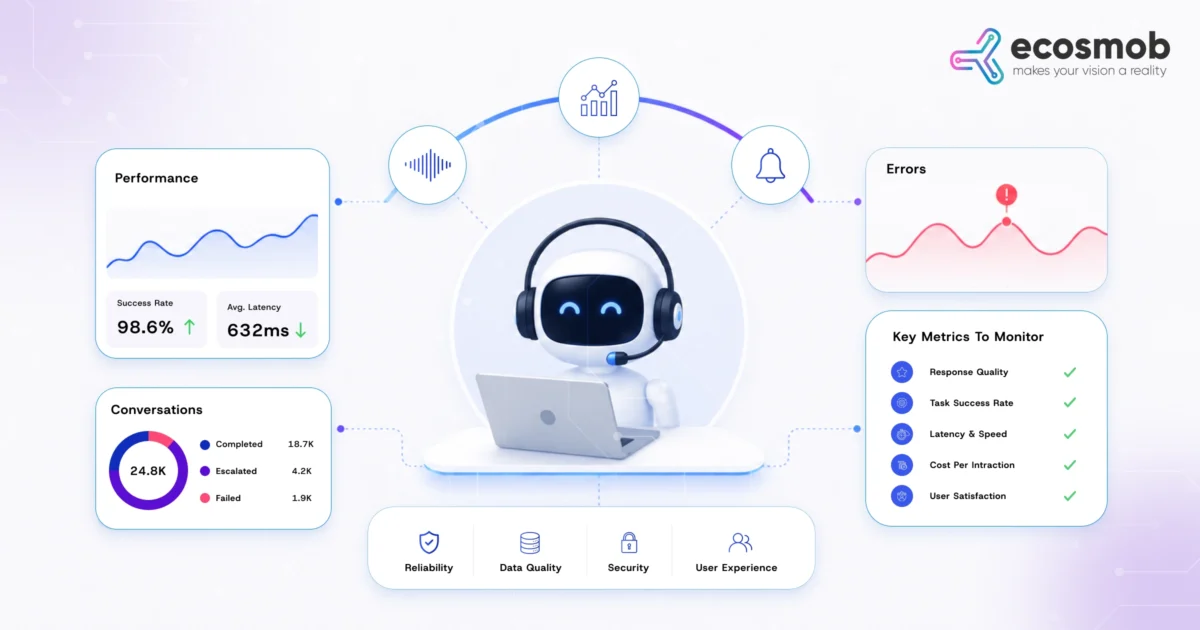
Your AI agent dashboard says everything is fine. Your customers tell you otherwise.
Calls are getting interrupted. Responses arrive late. Customers repeat themselves, while your containment rate still looks healthy.
So, where is the problem?
The model may be working exactly as expected. The failure could be hiding in a tool call, an API response, VAD behavior, network latency, packet loss, or the voice path carrying the conversation.
That is why AI agent monitoring for your AI voicebot solutions needs to go beyond model accuracy and response time. You need to know which signals actually matter, how they connect, and what they reveal about your agent’s behavior and the customer’s experience.
In this guide, we’ll break down what to track, why each metric matters, and how to connect AI and voice signals to find the real cause of production issues.
But before you start tracking everything, which signals actually tell you whether your agent is working well?
What is AI Agent Monitoring in Production?
AI agent monitoring is the continuous tracking of your agent’s performance, behavior, execution, and outcomes after it goes live. It helps you see whether your agent completes tasks reliably, responds appropriately, and delivers the experience you expect from your AI solutions.
Pre-production testing tells you whether your agent is ready. Production monitoring tells you whether it stays reliable when real customers, real calls, and real system conditions enter the picture.
You need to look beyond whether your model gives an accurate response. Your agent may understand the caller correctly but fail while calling a backend system, repeat an action, escalate unnecessarily, or take too long to respond.
That means your monitoring should cover four connected areas:
- AI quality: How accurately does your agent understand and respond?
- Agent behavior: Does it follow the right steps and complete the task?
- Conversation performance: Does the interaction remain smooth and responsive?
- Business outcomes: Does the conversation actually resolve the customer’s need?
The goal is not to collect every possible metric. Your goal is to find the signals that tell you when your agent is working, when it is degrading, and where to look when something goes wrong.
You have the signals. Now, which ones deserve your attention first?
What Should You Monitor in a Production AI Agent?
Once your AI agent goes live, a single accuracy score cannot tell you whether it is actually performing well. You need to see how it behaves across the entire interaction, from understanding a request to completing the task, including seamless human escalations that transfer calls from AI to agents smoothly.
- Monitor Agent Behavior and Task Execution
Your agent may understand a customer correctly and still fail while completing the request. That makes behavior monitoring central to reliable production performance.
Watch for:
- Task completion: Is your agent completing the task it was asked to handle?
- Tool-call failures: Are connected APIs and systems returning the information your agent needs?
- Retries and loops: Is your agent repeating actions instead of moving the interaction forward?
- Escalations: Is it handing off calls because they genuinely need human help, or because the workflow is failing?
- Handoff success: Does the customer reach the right agent with the necessary conversation context?
These signals help you spot problems that a simple “successful interaction” metric can hide.
- Monitor Conversation and AI Performance
Your agent also needs to understand customers accurately and respond without disrupting the conversation.
Track signals such as:
- Intent accuracy: Whether your agent correctly understands the customer’s request.
- ASR and NLU confidence: Whether speech and intent are being interpreted reliably.
- Response latency: How quickly your agent responds after the customer finishes speaking.
- Repetition rate: How often your customer has to repeat information.
- Containment: How often your agent resolves the request without escalation.
A drop in any one of these metrics is useful, but the combination tells you much more about what your customer is experiencing.
- Monitor Reliability and Business Impact
Production monitoring should also tell you whether your agent remains dependable as usage grows, especially when you’re delivering custom AI voicebot solutions for intelligent customer support.
Keep an eye on:
- Abandoned sessions: Whether customers leave before reaching a resolution.
- Session duration: Whether interactions are becoming longer than expected.
- Peak-load performance: Whether response times and task completion change as call volume rises.
- Cost per successful interaction: Whether your agent is delivering results efficiently.
- Customer satisfaction: Whether technical performance translates into a better experience.
You don’t need to track everything, just the signals that show when your agent struggles, what changed, and where to look next.
But those signals become far more useful when you connect them to what is happening beyond the AI layer.
How to Monitor AI Agent Behavior Without Adding Performance Overhead
Monitoring gives you visibility into your agent, but that visibility should not become another source of latency.
When every call generates traces, logs, tool events, and audio data, your monitoring layer can quickly become expensive and heavy. You need enough context to investigate problems without adding unnecessary work to every interaction.
Keep Production Monitoring Lightweight:
A practical approach is to collect only the signals that help you make a decision.
- Use event-based telemetry: Capture meaningful agent actions instead of recording every internal process.
- Track session-level context: Give each interaction a trace or session ID so you can connect agent events with the same customer call.
- Separate alerts from analysis: Use lightweight signals for immediate failures and richer data for deeper investigation.
- Sample high-volume events: You do not always need complete traces when interaction volumes are high.
- Process non-critical data asynchronously: Keep detailed analysis away from the real-time call path where possible.
This approach lets you monitor agent behavior with lower overhead while still preserving the context you need to troubleshoot failures in an AI-based real-time communication environment.
The key is balance: your monitoring should make production problems easier to find, not become another production problem.
Your monitoring can tell you what changed. The next question is: What else changed around the agent when it happened?
Monitoring does not end when your agent goes live. As customer behavior, business workflows, APIs, prompts, and AI models change, the signals you track can change with them.
This is where Managed AgentOps for RTC fits into your production strategy, providing continuous monitoring, conversation analysis, performance tracking, and ongoing AI optimization after deployment.
Why AI Agent Monitoring Must Include Voice Infrastructure
AI agent monitoring must include voice infrastructure because packet loss, jitter, latency, codec quality, and VAD can affect what your agent hears and how it responds. Correlating these signals helps you identify whether a problem starts in the AI layer or the voice path.
Correlate AI Performance With Voice Quality
Consider what happens when your metrics suddenly change:
- ASR confidence drops: Check packet loss, background noise, and audio quality before blaming the model.
- Response latency increases: Look at network, media, and API latency across the call path.
- Interruptions increase: Check VAD and turn-taking behavior for premature or delayed detection.
- Containment falls: Look for degraded audio, repeated requests, or unsuccessful transfers.
- Customers repeat themselves: Investigate transcription quality and the voice path carrying their speech.
Your existing SIP platforms, SBCs, and media servers can already expose useful voice statistics, as any session border controller guide can help you understand. The bigger opportunity is connecting those signals with your AI monitoring data.
When you correlate both layers, your dashboard can tell you more than what failed. It can help you understand why.
Your agent metrics show the symptom. Can your voice data reveal the cause?
How to Diagnose AI Agent Performance Problems in Voice Systems
You can diagnose AI agent problems faster by correlating agent behavior, AI performance, and voice infrastructure signals instead of investigating each layer separately. This helps you distinguish model, workflow, integration, and call-quality issues before changing the wrong component.
- When AI Accuracy Drops
A sudden accuracy drop does not automatically mean your model needs retraining.
Check your:
- ASR confidence: Has speech recognition quality changed?
- Packet loss and jitter: Is degraded audio affecting what your agent receives?
- VAD behavior: Is the system detecting speech boundaries correctly?
- Recent AI changes: Did a model, prompt, or workflow change occur before the drop?
This gives you a clearer starting point before touching the model itself.
- When Containment Drops
A lower containment rate can point to several different problems.
Look at whether your agent is:
- Task completion: See whether your agent is failing to complete requests it previously handled successfully.
- Conversation loops: Check whether your agent is repeating questions or actions instead of moving toward resolution.
- Escalation patterns: Look at why customers are being transferred and whether those handoffs are actually necessary.
- API performance: Check whether slow or failed backend responses are preventing your agent from completing tasks.
- Voice quality: Compare containment changes with packet loss, jitter, latency, or transcription issues.
If containment falls alongside poor voice quality, the problem may sit outside your AI logic.
- When Response Latency Increases
Your customer experiences latency as one problem, but several systems may be contributing to it. Check model response time, API and tool-call latency, media processing, network conditions, and concurrent call load.
Knowing where the delay starts can help you fix voicebot latency in real-time voice AI without optimizing the wrong layer.
You can find the problem, but can your monitoring setup help you find it every time?
What Should Enterprise-Grade AI Agent Monitoring Include?
Enterprise-grade AI agent monitoring should give you real-time visibility into agent behavior, session performance, failures, voice quality, and business outcomes. It should also connect these signals across systems, including the AI voice agent disclosure architecture, so your team can investigate issues without switching between disconnected monitoring tools.
Key Capabilities to Look For:
Your monitoring setup should give you enough visibility to understand both individual interactions and production-wide trends.
- Real-time dashboards: See your agent’s health and performance as interactions happen.
- Session-level tracing: Follow each customer interaction across your AI, APIs, and voice systems.
- AI and voice correlation: Connect agent metrics with latency, jitter, packet loss, and other voice signals.
- Configurable alerts: Get notified when your critical performance thresholds change.
- Historical analysis: Compare your current performance with previous periods to spot degradation.
- Failure investigation: Trace an unsuccessful interaction back to the point where it started failing.
- Scalability visibility: See how your agent behaves as concurrent calls and workloads increase.
What Should an AI Agent Audit and Monitoring Platform Show?
An AI agent audit & monitoring platform should help you reconstruct what happened during an interaction.
You should be able to see:
What your agent heard → what it understood → what it decided → which system it accessed → what action it took → how the interaction ended.
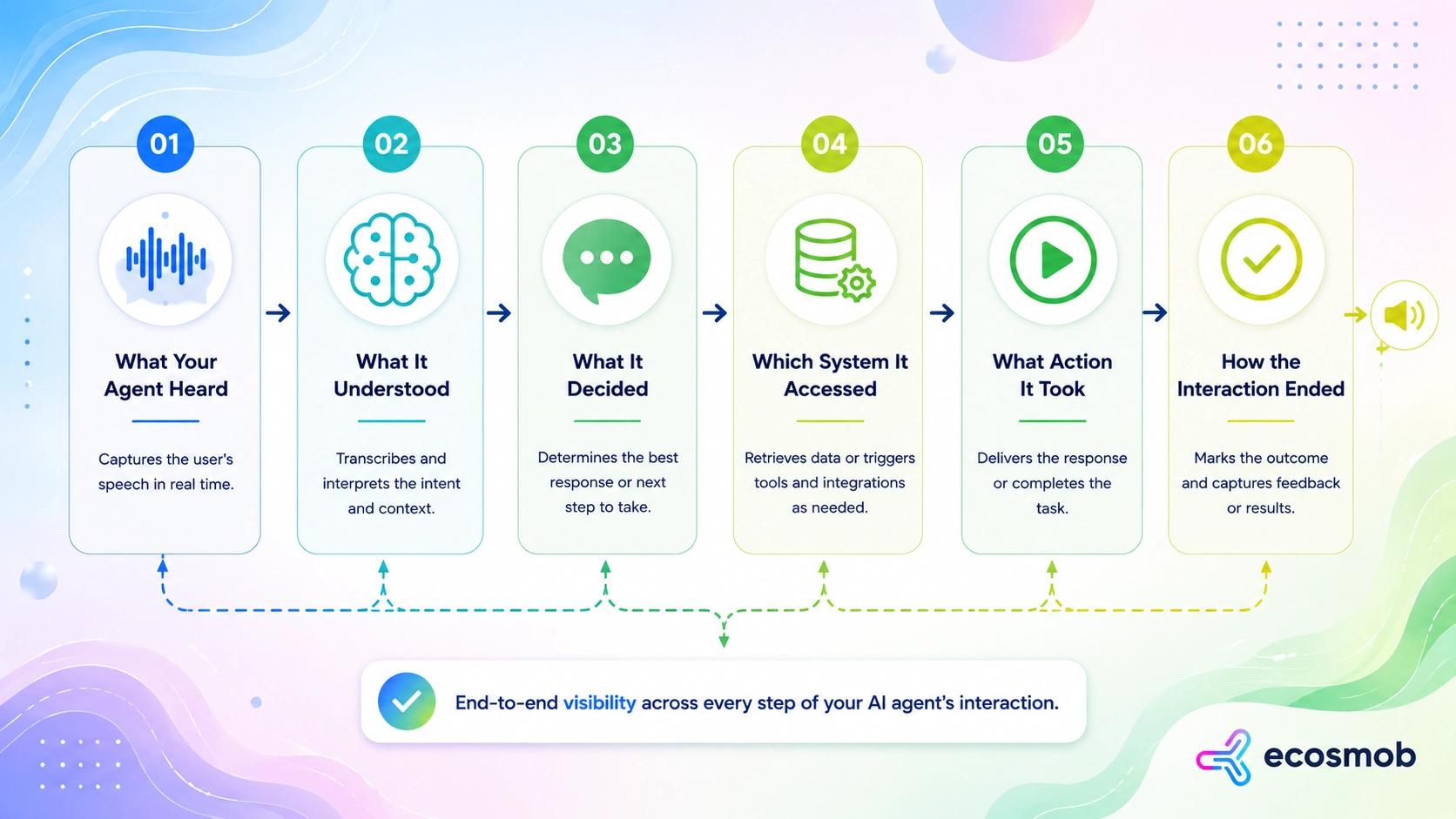
That context matters when a customer reports a failed interaction, but your overall dashboard still looks healthy.
Your monitoring setup should not simply tell you that an interaction failed. It should give your team enough context to understand why it failed and what needs attention next.
A Practical AI Agent Monitoring Framework for Production Voice
A practical AI agent monitoring framework should connect infrastructure, conversation quality, agent behavior, AI performance, and business outcomes. When these layers work together, your team can trace a customer interaction from the first signal to the final outcome.
- Infrastructure
Monitor the voice layer that carries your customer’s conversation.
- SIP and RTP health: Track packet loss, jitter, latency, and call stability.
- System availability: Watch whether your voice and supporting services remain reliable.
- Conversation
Look at how smoothly your agent interacts with your customer.
- Speech quality: Monitor ASR, VAD, interruptions, and audio quality.
- Turn-taking: Check whether your agent responds at the right moment without awkward delays.
- Agent Behavior
Follow what your agent actually does during the interaction.
- Task execution: Track completions, failed actions, retries, and workflow loops.
- Escalations: See when and why your agent transfers the conversation.
- AI Performance
Measure whether your agent is making useful decisions.
- Accuracy and relevance: Track intent understanding, response quality, and confidence.
- Response performance: Monitor latency and model efficiency across interactions.
- Business Outcomes
Connect technical performance to what your business ultimately needs.
- Resolution and containment: See whether your agent actually solves customer requests.
- Customer experience and cost: Track satisfaction, abandonment, and cost per successful interaction.
The real value comes from connecting these layers around the same session, so you can move from signal to cause to customer impact.
Put these signals together, and your monitoring becomes a continuous view of how your AI agent performs in production.
Let’s Wrap up…
Your AI agent is more than a model behind a voice interface. Its performance depends on how well your AI, workflows, integrations, and voice infrastructure work together.
Ecosmob’s approach combines AI monitoring, conversation analytics, performance tracking, and RTC expertise to keep your deployed AI systems reliable and continuously optimized. Through Managed AgentOps for RTC, your AI performance is monitored continuously, conversations are reviewed, prompts and knowledge bases are refined, and models are tuned as your business and customer needs evolve.
This ongoing operational approach helps you maintain AI accuracy, improve customer experiences, and reduce the effort required to manage AI after deployment. It turns AI from a one-time implementation into a capability that continues to improve throughout its lifecycle.
Frequently Asked Questions
Voice AI agent monitoring is the real-time tracking of a live conversational agent’s accuracy, behavior, task execution, and underlying voice infrastructure. It ensures the system reliably completes customer requests, responds without latency, and resolves calls effectively post-deployment.
AI agent monitoring must track voice infrastructure because packet loss, jitter, latency, and VAD issues directly degrade speech recognition (ASR). Correlating voice quality with AI performance reveals whether call failures stem from the AI model or network issues.
Measure voice AI latency by tracking end-to-end response time from when a customer finishes speaking to when audio plays back. Break this down across speech-to-text (ASR), LLM processing, tool-call executions, network media paths, and text-to-speech (TTS) synthesis.
Containment rate measures how often an AI agent handles a call without transferring to a human. Task completion tracks whether the agent actually resolved the customer’s request successfully, preventing false “contained” metrics during workflow loops or abandoned calls.
Teams can monitor AI agents without overhead by using lightweight, event-based telemetry and asynchronous processing off the real-time audio path. Session-level context IDs correlate logs across system layers, while high-volume events are sampled to preserve call responsiveness.