Sometimes, your sales representative needs an AI sales assistant while they’re on a call, not after it.
Think about that moment when a prospect raises an unexpected objection. Your representative needs the right response, the right information, and the confidence to keep the conversation moving. Yet many AI tools step in only after the call, offering transcripts, summaries, and follow-up emails. AI voicebot solutions can help address this gap by supporting real-time customer interactions.
But what good is an insight if it arrives too late to save the conversation?
I think this is where choosing AI sales assistant software gets tricky. Some tools help you find prospects, others improve your emails, and a few offer real-time call support. Each solves a different problem, and picking the wrong one could leave your biggest sales bottleneck untouched.
Let’s look at 10 AI sales assistant software options, what each does best, and which one makes sense for your sales workflow.
Before comparing the tools, let’s look at what you actually need your AI sales assistant to do.
What is an AI Sales Assistant?
A sales AI assistant is software that uses artificial intelligence to help you research prospects, personalize outreach, analyze sales calls, update CRM records, and manage follow-ups. Depending on the tool, it can support your decisions or complete specific tasks automatically.
Think about your typical workday. Your sales representatives research leads, write emails, attend meetings, update the CRM, and chase follow-ups. By the time they finish these tasks, how much time is left for actually selling?
That’s where AI sales assistant software comes in. It takes repetitive work off your team’s plate, helps uncover useful insights, and gives your representatives more time to focus on conversations that move deals forward. For example, Voice bot integration with CRM can connect voice interactions with customer records, helping your team access relevant information and streamline follow-ups.
But there’s one distinction worth knowing before you choose a tool.
- AI sales assistants help your representatives work faster while keeping them in control.
- AI sales agents can take action independently, such as researching prospects or initiating outreach, depending on their capabilities and permissions.
The difference matters because you may need a tool that guides your sales team, not one that makes decisions on its behalf. A Sales AI Assistant should fit your team’s workflow, not force your team to change how it sells just to accommodate the software.
Now that you know what these tools can do, let’s find out which one deserves a place in your sales stack.

Your reps shouldn’t have to search for answers while a prospect waits.
Give them AI support that fits your sales conversations.
What is the Best AI Sales Assistant?
The best AI sales assistant depends on your sales process, communication channels, and automation needs. Some tools specialize in prospecting or meeting analysis, while others support live calls, CRM workflows, or custom AI integrations.
I wouldn’t choose a tool just because it promises to do everything. Start with the task that’s slowing your sales team down the most. If existing tools don’t meet your needs, developing your own AI voice assistant for business could help you build a solution around your specific sales workflow.
| AI sales assistant | Best for | What to consider |
| Ecosmob | Custom AI sales and voice solutions | Tailored AI voicebots, VoIP integration, and sales communication workflows built around your business requirements |
| Dialpad | Real-time sales call assistance | Live-call insights, coaching, and supported CRM integrations |
| Avoma | Meeting intelligence | Meeting notes, action items, and conversation insights |
| Clay | Prospect search | Lead enrichment and personalized outreach preparation |
| Lavender | Sales email coaching | Email quality and personalization |
| Fireflies.ai | Meeting transcription | Searchable transcripts, summaries, and follow-up tasks |
| Gong | Revenue intelligence | Deal insights, sales coaching, and pipeline visibility |
| Salesforce Sales Cloud with Einstein | CRM-based AI assistance | AI capabilities within existing CRM workflows |
| Regie.ai | Sales engagement | AI-assisted sales content and outbound workflows |
| Sybill | Deal intelligence | Conversation context and sales follow-up support |
One important distinction: Ecosmob focuses on custom solution development and integration, while the other options are packaged software products. If your requirements go beyond standard features, a tailored solution may be worth exploring. If you need a ready-to-use tool for a specific task, an off-the-shelf product may be a better fit.
For example, if your representatives spend hours on manual meeting notes, a meeting intelligence tool may be enough. But if you need an AI voice agent connected to your existing telephony infrastructure, you’ll want to evaluate integration requirements and custom development options.
The right choice isn’t the tool with the longest feature list. It’s the one that solves your actual problem without creating three new ones.
Next, let’s look at how these tools should be evaluated before you commit to one.
How We Evaluated the Best AI Sales Assistant Software
Choosing the right AI sales assistant software takes more than comparing feature lists. You need to know how accurately each tool performs, how easily it fits into your workflow, and whether its cost makes sense for your team.
I’d start by testing every tool against the same core criteria, using tasks your sales representatives handle every day. The same approach applies when evaluating the best AI voicebot platforms compared, particularly when assessing their performance during live conversations.
- Accuracy: Does it generate reliable summaries, recommendations, and sales insights?
- Speed: How quickly does it deliver useful results during or after a sales interaction?
- CRM integration: Can it update the right records without creating extra manual work?
- Setup time: How much effort does it take to connect your existing tools and configure workflows?
- Pricing: What will you pay for the features and usage your team actually needs?
For tools that support live calls, I’d also test response speed and the relevance of their suggestions during a conversation. For custom solutions, I’d assess integration requirements and implementation effort separately.
One thing I wouldn’t overlook is the difference between a feature listed on a product page and a feature that performs reliably in practice.
These criteria give you a fair starting point for comparing the tools. The next step is to see which one fits your specific sales workflow.
The Best AI Sales Assistant Software by Use Case
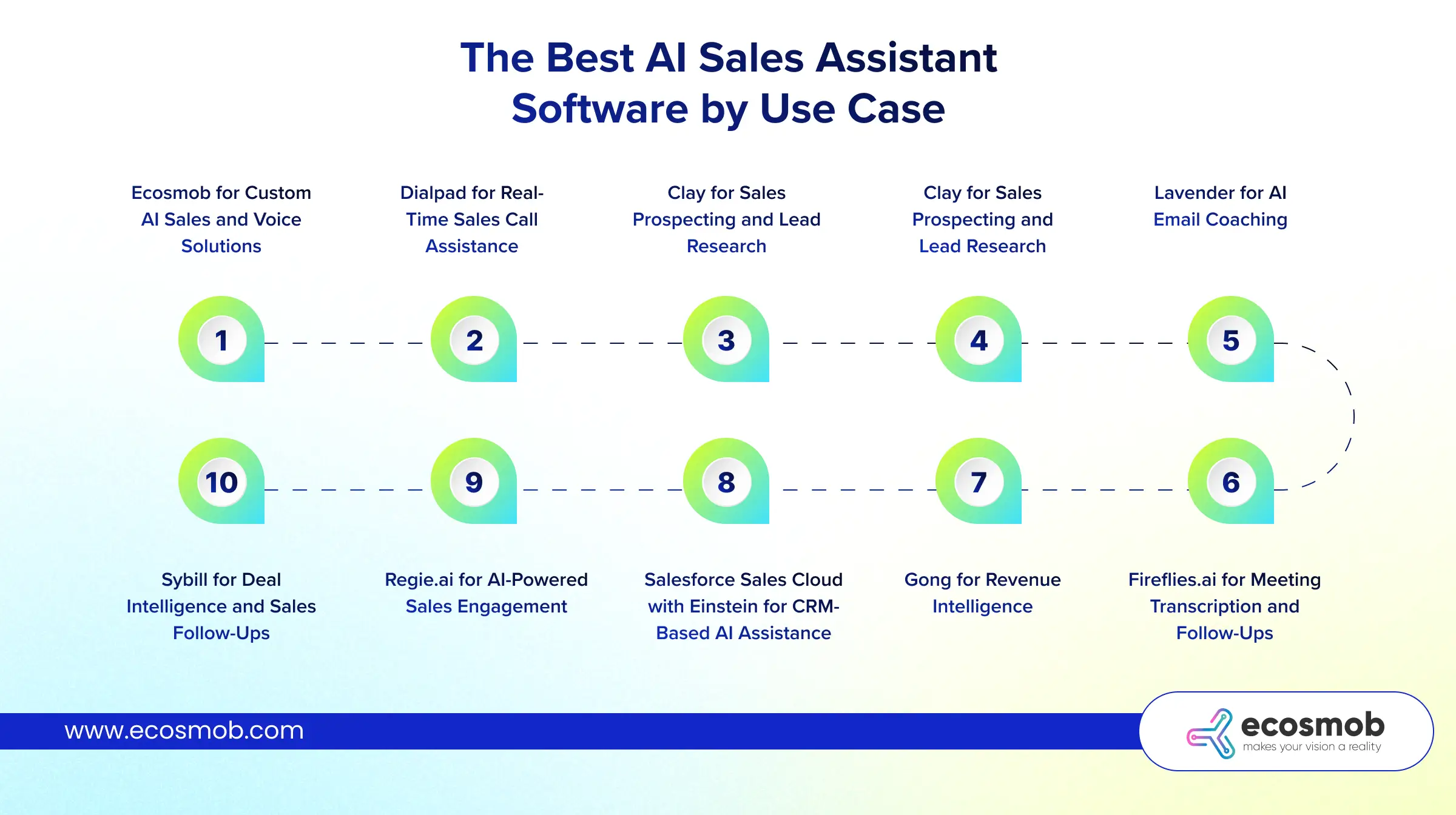
The right tool depends on where your sales process needs help. If you want to spend less time on prospecting, improve live calls, or automate follow-ups, these options offer different ways to get there.
1. Ecosmob for Custom AI Sales and Voice Solutions
Best for: Businesses that need tailored AI and telephony integration
If your sales process depends on phone conversations, a generic AI tool may not cover every requirement. Ecosmob develops custom AI voice solutions and VoIP integrations to fit your existing communication workflows.
You can explore tailored voice agents, call automation, and integrations based on your business needs. Introducing Our Custom AI Voicebot Solutions for Intelligent Customer Conversations, Ecosmob helps businesses create voice experiences tailored to their sales and communication requirements. This approach is worth considering when off-the-shelf software doesn’t offer the flexibility your sales operation requires.
Keep in mind: Custom development requires scoping, integration work, and implementation time. It’s different from subscribing to a ready-made sales assistant.
2. Dialpad for Real-Time Sales Call Assistance
Best for: Sales teams that need support during calls
What if your representative could access useful conversation insights without waiting for the call to end? Dialpad offers AI-powered calling features, including real-time transcription and supported coaching capabilities.
It’s worth evaluating if your team handles frequent phone conversations and needs help responding more effectively. Check which features are available in your chosen plan and whether they work with your existing calling setup.
3. Avoma for Sales Meeting Intelligence
Best for: Teams that want better meeting records and follow-ups
If your representatives spend their evenings writing meeting notes, Avoma can help reduce that workload. Its meeting intelligence features support transcription, summaries, action items, and conversation analysis.
You can use these insights to keep follow-ups organized and retain important customer context. Just remember that meeting intelligence isn’t the same as live-call guidance.
4. Clay for Sales Prospecting and Lead Research
Best for: Teams that need richer prospect data
Personalized outreach becomes difficult when you know little about the person you’re contacting. Clay helps sales teams enrich prospect information and organize research for more relevant outreach.
It can be useful when your representatives spend too much time gathering information before sending an email or starting a conversation. Your results will still depend on data quality and the sources you connect.
5. Lavender for AI Email Coaching
Best for: Representatives who want to improve sales emails
Sometimes, your email has the right information but still fails to get a response. Lavender provides AI-assisted email feedback and personalization support to help representatives improve their outreach.
It’s particularly relevant if email is a major part of your sales process. However, it focuses on written communication, so don’t expect it to replace a dedicated calling or meeting intelligence platform.
6. Fireflies.ai for Meeting Transcription and Follow-Ups
Best for: Teams that need searchable meeting records
Ever finished a promising sales meeting only to forget an important detail later? Fireflies.ai helps capture conversations, generate summaries, and organize information you can revisit.
This can make it easier to track commitments and prepare follow-ups. Before adopting it, check supported meeting platforms, CRM integrations, recording permissions, and data retention options.
7. Gong for Revenue Intelligence
Best for: Sales leaders who need conversation and deal insights
If you’re managing a sales team, reviewing every conversation yourself isn’t realistic. Gong helps teams analyze sales interactions and identify patterns that can inform coaching, deal reviews, and pipeline decisions.
It’s worth evaluating when you need more visibility into what’s happening across your sales process. Consider the implementation effort and total cost alongside its analytical capabilities.
8. Salesforce Sales Cloud with Einstein for CRM-Based AI Assistance
Best for: Teams already using Salesforce
Your CRM holds valuable sales information, but manually reviewing and updating it can slow your team down. Salesforce’s Einstein capabilities bring AI-assisted insights and workflows into its CRM environment.
This may suit you if Salesforce is already central to your sales operations. Check the features included in your edition, licensing requirements, and how the available AI capabilities fit your workflows.
9. Regie.ai for AI-Powered Sales Engagement
Best for: Teams managing outbound sales workflows
When your representatives handle large prospect lists, creating relevant outreach for every contact can become repetitive. Regie.ai supports AI-assisted sales content and engagement workflows.
It may help your team prepare outreach more efficiently and organize parts of the outbound process. Before choosing it, verify which tasks it automates and which still require human review.
10. Sybill for Deal Intelligence and Sales Follow-Ups
Best for: Representatives who need better deal context
Sales conversations generate details that are easy to lose between meetings. Sybill focuses on sales conversation intelligence and related workflows that help representatives retain context and manage follow-ups.
It may be useful if your team needs better visibility into customer interactions. Check its current capabilities, supported integrations, and pricing against your specific sales process.
My recommendation: Don’t compare these tools as if they all solve the same problem. Ecosmob is an option for custom AI and voice integration, while the other products focus on specific packaged software use cases.
The best fit depends on your existing systems, the tasks you want to automate, and how much flexibility you need.
How to Choose the Best AI Sales Assistant Software for Your Team
The best AI sales assistant software should fit your existing workflow, connect with the tools you already use, and solve a problem you can measure. Before you commit, look beyond the feature list.
I’d start with five questions to narrow down your options.
- What do you need help with? Identify whether prospecting, live-call guidance, meeting notes, or CRM updates take up too much of your team’s time.
- Does it work with your existing systems? Check compatibility with your CRM, dialer, softphone, meeting apps, and telephony infrastructure.
- Can it update your CRM accurately? Confirm whether it can write information back to the right records, not just summarize conversations.
- How does it handle your data? Review access controls, recording consent, retention policies, and deployment options to meet your security needs.
- What will it really cost? Factor in subscriptions, usage limits, integration work, training, and ongoing maintenance.
One more thing: decide how much independence you want the AI to have. An assistant that suggests a response keeps your representative in control. An agent that contacts prospects or takes action automatically needs clear permissions and oversight.
My advice? Start with one recurring sales bottleneck, test the tool against real workflows, and measure whether it saves time or improves outcomes.
If your requirements involve custom voice workflows or deeper telephony integration, a tailored solution may be worth exploring. For a narrower task, a ready-made tool may be all you need.
Now you know what the leading tools offer and what to look for before choosing one. Let’s bring it all together.


Still spending hours on prospect research, CRM updates, and follow-ups?
Let AI take repetitive tasks off your team’s plate.
The Bottom Line?
The best AI sales assistant software isn’t necessarily the one with the most features. It’s the one that fits your workflow, works with your existing systems, and gives your sales team more time to build relationships and close deals.
Ecosmob’s approach is to start with your sales workflow, identify where AI can make a real difference, and build around your existing communication systems. Rather than forcing your process into a standard product, the focus is on making AI, voice infrastructure, and business integrations work together to support how your team sells.
Frequently Asked Questions
An AI sales assistant is software that uses artificial intelligence to help sales teams research leads, personalize outreach, analyze conversations, update CRM records, and automate follow-ups. It reduces repetitive work and helps representatives focus on closing deals.
The best AI sales assistant depends on your sales goals. Dialpad suits teams needing call assistance, Clay supports prospect research, and Avoma helps with meeting intelligence. For custom AI voice solutions and telephony integration, you can also consider Ecosmob.
The best AI sales assistant software for small businesses depends on budget, team size, and daily sales tasks. Tools focused on email coaching, meeting notes, or CRM automation can help you start with specific needs rather than paying for unnecessary features.
Yes, some AI sales assistants can make calls and follow up with leads automatically, depending on their capabilities and configuration. Before choosing one, check its telephony integrations, CRM connectivity, consent requirements, and options for human oversight.
AI sales assistant software costs vary by provider, subscription plan, user count, and usage limits. Custom AI solutions may also involve development, integration, and maintenance costs. Compare the total cost with the time saved and outcomes you expect.