
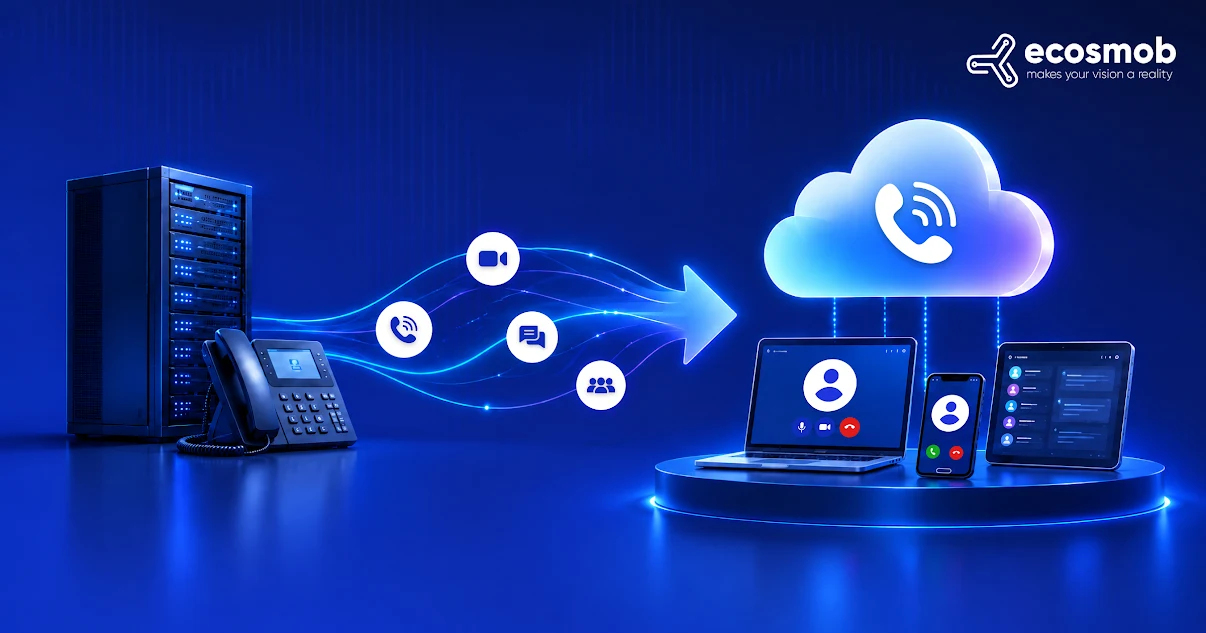
A UCaaS migration (Unified Communications as a Service migration) is the process of moving an organization’s internal business communications (including voice calling, video conferencing, chat messaging, presence, and direct dial numbers) from on-premises PBX hardware to a cloud-based communication platform.
Ask an IT director why their telecom migration blew past its target completion date, and they will almost never blame the new desktop apps.
The software apps work. Chat, screen sharing, and user logins operate smoothly in staging. The project grinds to a halt when incoming telephone traffic meets real-world carrier transport.
A losing local exchange carrier rejects a port request over a misplaced suite number. An edge firewall closes UDP pinholes mid-call, dropping audio after 30 seconds. Remote employees dialing 911 route to the wrong Public Safety Answering Point (PSAP) because hardcoded on-prem subnet records never made the jump to dynamic cloud dispatch.
Eliminating on-premises hardware like Cisco Unified Communications Manager (CUCM), Avaya Aura, or aging Mitel chassis demands an engineering-led cutover.
Here is how to plan, architect, and execute a UCaaS migration without losing a single incoming call or interrupting your daily business operations.
What Is a UCaaS Migration and Why Should You Migrate?
A UCaaS migration transitions voice, video, messaging, phone numbers, and call routing logic off physical on-premises servers into an elastic, multi-tenant cloud communications environment.
Maintaining on-premises PBXs has rapidly shifted from an established operational model to an expensive legacy exception. Research published by telecom market intelligence firm Metrigy found that over 58% of enterprises now run their workplace communications exclusively on UCaaS, with another 32% maintaining hybrid cloud deployments alongside legacy systems. The pressure to consolidate collaboration, mobile presence, and calling under a single management plane has made modernizing on-prem voice a top IT priority.
Moving to cloud communications can give you four easy foundational operational advantages:
- Cost Savings: It eliminates recurring on-premises PBX chassis maintenance contracts, data center rack power and cooling overhead, and dedicated Primary Rate Interface (PRI) circuit rentals.
- Flexibility for Hybrid Work: It gives distributed teams native mobile and desktop softphones, ensuring employees call, chat, and meet using corporate business identities from anywhere.
- Scalability: It replaces static hardware capacity planning with elastic seat provisioning, letting teams add or remove users on demand across global offices.
- Automatic Updates: It shifts the burden of software patching, security updates, and regulatory compliance directly to the cloud provider, eliminating disruptive weekend hardware upgrades.
Beyond these baseline advantages, the primary driver for modernizing communications today is the accelerating obsolescence of on-prem hardware. Specialized telecom technicians are retiring, replacement DSP hardware cards are drying up, and legacy PBXs cannot natively support real-time AI summarization or modern workspace collaboration tools.
The UCaaS Pre-Migration Telephony and Network Audit
The fastest way to derail a UCaaS migration is attempting to replicate every legacy setting into the new cloud tenant. Over ten to fifteen years, enterprise phone systems accumulate immense configuration sprawl.
Before picking a go-live date, catalog your environment across two distinct technical tracks: your user call flows and your underlying media plumbing.
1. User Directory and Extension Mapping
- Active vs. Abandoned Extensions: Audit your dial plan against your Active Directory or identity provider (such as Okta or Microsoft Entra ID). You will frequently find that 15% to 25% of assigned extensions belong to departed staff, retired conference rooms, or forgotten testing profiles.
- Call Routing Logic: Trace hunt groups, auto-attendants, call pickup groups, and after-hours schedules. Legacy systems often hide circular forwarding rules that loop calls endlessly if an employee is away from their desk.
- Analog and Specialty Devices: Catalog every physical endpoint that does not speak standard SIP (warehouse paging horns, elevator emergency lines, door access controllers, and analog fax machines). These require dedicated Analog Telephone Adapters (ATAs) or local gateway survivability.
2. Network Readiness and Telephony Transport
- Voice Bandwidth and QoS: Budget a minimum of 100 kbps bidirectional bandwidth per concurrent voice call using G.711, or 40 to 50 kbps using Opus. Implement Differentiated Services Code Point (DSCP) packet tagging (marking voice packets with EF/46) to protect real-time media across internal switches and SD-WAN links.
- Firewall UDP Pinholes: Cloud softphones rely on WebSockets, TLS, and WebRTC/SRTP. Audit firewall policies to ensure stateful inspection does not aggressively drop outbound UDP media traffic across ports 10,000–20,000 or close SIP signaling sockets prematurely.
Assess Your UcaaS Architecture for Migration
You can use this scoping matrix to evaluate your legacy baseline and determine your cutover complexity:
| Operational Variable | Small to Mid-Market (50–250 Users) | Enterprise (250–1,000 Users) | Global / Multi-Site (1,000+ Users) |
| Typical Legacy Core | Single-site PBX or hybrid appliance | Dual-redundant CUCM / Avaya clusters | Disparate multi-vendor PBX matrix |
| PSTN Interconnect | Local SIP trunks or 1–2 PRIs | Centralized SIP trunks via edge SBCs | Multi-carrier international routes |
| Analog Endpoints | < 10 (Fax, basic door phones) | 10–50 (Paging, alarms, lobby phones) | 50+ (Industrial yards, multi-building) |
| Recommended Strategy | Phased site cutover | Parallel SIP run with canary testing | Departmental hybrid coexistence |
How Does “No Downtime” UCaaS Migration Actually Work?
A zero-downtime UCaaS migration works by deploying an intermediate SIP proxy or Session Border Controller (SBC) between your carrier and your phone systems, enabling a parallel-run architecture that routes calls between the legacy PBX and the cloud system simultaneously.
Downtime on corporate communications is far more than a minor productivity dip. According to enterprise benchmarking data from the ITIC (Information Technology Intelligence Consulting) Hourly Cost of Downtime Report, a single hour of infrastructure downtime exceeds $300,000 for over 90% of mid-market and large enterprises. When cutover issues knock customer-facing lines offline, lost transactions and SLA breach penalties accumulate within minutes.
A “big-bang” cutover (where you shut down the old PBX on Friday afternoon and hope every user boots up in the cloud on Monday morning) carries immense operational risk. If a critical call queue breaks or firewall rules drop external media packets, your business goes dark.
A modern parallel-run architecture eliminates that danger entirely:
- The SIP Proxy Layer: You place an intelligent SIP routing layer (such as a Kamailio instance or a dedicated edge Session Border Controller) in front of your inbound carrier trunks.
- Deterministic Call Forking: When an inbound call arrives, the proxy inspects the dialed number. If the user still sits on the legacy PBX, the call routes to the on-premises system. If the user has been migrated to the cloud, the proxy routes the SIP signaling directly to the cloud provider’s SIP URI.
- Internal Extension Dialing: By setting up an inter-system SIP tie trunk between the legacy PBX and the cloud tenant, employees on the old system can dial 4-digit internal extensions to reach colleagues already active on the cloud platform.
- Immediate Fallback Safety: If a migrated user encounters desktop audio issues or a faulty headset, you don’t roll back the whole company. You flip a single dial-plan rule on your proxy, and calls for that specific extension immediately return to the physical desk phone on the legacy system.
How Does Number Porting Work in a UCaaS Migration?
Number porting in a UCaaS migration transfers ownership of Direct Inward Dialing (DID) and toll-free numbers from legacy carriers to the cloud provider using verified Customer Service Records (CSR) and Firm Order Confirmations (FOC) to prevent dropped calls.
To ensure seamless number portability during your cutover, follow these carrier coordination rules:
- Customer Service Records (CSR): Never submit a port request based on a recent telephone bill. Request official Customer Service Records directly from your losing carrier for every billing telephone number (BTN). The authorized subscriber name, service address, and billing account number (BAN) on your port order must match the losing carrier’s internal records letter for letter.
- Clean Port Submission Windows: Under federal carrier standards overseen by the Federal Communications Commission (FCC) on number porting rules, simple ports must process rapidly, but complex enterprise multi-line DIDs typically take 15 to 30 business days. Submit your port orders at least four weeks before your scheduled go-live window.
- Firm Order Confirmation (FOC): Never attempt a go-live cutover without a confirmed FOC date and time. The FOC guarantees the exact window during which the losing carrier releases the number routing tables to the gaining carrier across national telecom databases.
- Temporary Call Forwarding as an Alternative: If you must launch before your port date arrives, use Remote Call Forwarding (RCF) or trunk-level failover routing at the carrier level. Your losing carrier forwards incoming calls to temporary virtual DIDs assigned in your cloud system, keeping your business fully operational while the formal porting paperwork clears.
How to Ensure E911 Compliance During a UCaaS Migration?
Ensuring E911 compliance during a UCaaS migration requires configuring dynamic location routing that automatically detects an off-premises softphone user’s physical dispatchable location to satisfy federal Kari’s Law and RAY BAUM’S Act mandates.
In an on-premises setup, a desk phone connects to a physical jack associated with a fixed wall plate, room, and floor. In a cloud environment, an employee can place a call from an office desk in New York on Monday, a home office in New Jersey on Wednesday, and a hotel in Chicago on Friday.
Your deployment must fulfill these life-safety legal requirements:
- Kari’s Law: Mandates that all multi-line telephone systems (MLTS) permit direct dialing of 911 without requiring a prefix (such as dialing ‘9’ for an outside line). It also requires the system to send an automated, simultaneous emergency notification (via email, SMS, or screen pop) to on-site security or administrative personnel.
- RAY BAUM’S Act: Enforces that every emergency call convey a validated, “dispatchable location” to the local Public Safety Answering Point (PSAP). A dispatchable location cannot simply state a corporate street address; it must provide granular location details, such as the specific building, suite, floor, and office quadrant.
- Dynamic Location Routing: Configure your cloud platform to use automated network discovery. When a softphone boots up, it detects local BSSIDs (Wi-Fi access points), switch chassis IDs, or subnet IP ranges, automatically prompting the user to update their physical dispatch address whenever they connect from an unrecognized remote network.
Step-by-Step UCaaS Migration Roadmap
You can execute your UCaaS migration across these five structured, predictable phases.
- Audit and Inventory the Legacy Estate
- Catalog every active DID, hunting group, auto-attendant menu, and hardware extension.
- Identify operational dependencies, analog lines, and legacy third-party CRM plugins.
- Retire unused queues and inactive extensions before touching cloud configurations.
- Prepare Network Infrastructure and Voice QoS
- Configure network firewalls to allow bidirectional UDP traffic across necessary media port ranges.
- Implement DSCP policies to prioritize real-time voice packets over generic corporate web traffic.
- Conduct simulated synthetic call load tests across peak internet usage windows.
- Configure Cloud Platform and Core Workflows
- Provision your cloud tenant, configure user profiles via single sign-on (SSO), and build modern, simplified call routing logic.
- Wire up necessary business integrations (such as Microsoft Teams, Salesforce, or Google Workspace) and establish inter-system SIP trunks to your legacy PBX.
- Run a Phased Canary Pilot
- Deploy a small, diverse user cohort (such as IT, marketing, and a slice of operations) to the cloud platform while keeping the remainder of the company on the legacy system.
- Route production calls through your intermediate SIP proxy to validate audio quality, transfer reliability, and softphone stability under real-world usage.
- Execute Phased Cutover and Decommissioning
- Migrate departments in scheduled waves rather than a single chaotic sweep.
- Validate emergency calling and number routing after each site cutover.
- Once all users operate stably in the cloud, release legacy carrier trunks, back up historical call detail records, and decommission on-prem PBX hardware.
The Technical Cutover Runbook for UCaaS Migration Go-Live
On the morning of your go-live, our trusted way to go is to execute this technical verification sequence before transitioning business-critical queues:
- Verify FOC Trigger Window: Confirm with your carrier that the Firm Order Confirmation window is active and that technicians are standing by.
- Test Dynamic E911 Dispatch: Place a test call to an emergency routing test line (such as 933 in North America) to verify that the transmitted dispatchable location matches the physical test location.
- Validate Bidirectional Audio Codecs: Place inbound and outbound test calls across mobile, external landline, and internal softphone targets to ensure audio does not drop or transcode incorrectly.
- Confirm Dual-Tone Multi-Frequency (DTMF): Dial an external interactive voice response menu and test keypad entries to ensure DTMF tones pass cleanly through the SIP media gateway.
- Test Hunt Group Escalations: Ring your primary corporate numbers and verify that hold queues, hunt group overflows, and after-hours voicemail routing behave according to specifications.
- Verify Rollback Route Readiness: Confirm that your edge Session Border Controller or SIP proxy can divert live traffic back to the legacy system within 60 seconds if unexpected issues arise.
When Should You Roll Back a UCaaS Cutover?
You should roll back a UCaaS migration cutover immediately if more than 2% of live calls experience one-way audio, E911 dispatch records fail validation, inbound calls drop for over 15 minutes, or SSO authentication failures lock out more than 10% of users.
Never leave the rollback decision to subjective debate during a cutover crisis. Revert traffic to your legacy on-premises system if your team hits any of these technical thresholds:
- Two-Way Audio Loss: Greater than 2% of live calls encounter one-way audio, dead air, or persistent codec renegotiation failures that cannot be resolved immediately by adjusting firewall rules.
- Emergency Dispatch Failure: E911 test calls fail to reach the emergency clearinghouse or transmit corrupt address payloads that violate regulatory life-safety rules.
- Inbound Call Blackholing: Carrier routing misconfigurations drop inbound calls without reaching an automated attendant or routing queue for more than 15 consecutive minutes.
- Platform SSO Authentication Lockout: Identity provider sync failures prevent more than 10% of migrated staff from authenticating into their desktop or mobile communication apps.
Commercial UCaaS vs. Custom SIP Media Cores
Commercial UCaaS platforms like Microsoft Teams, Zoom Phone, and Webex Calling suit standard corporate office communication, while custom SIP media cores (built on Kamailio and FreeSWITCH) are designed for high-concurrency environments requiring wholesale carrier economics and deep PBX routing control.
Choosing between a packaged cloud suite and an owned SIP media engine comes down to three operational factors: seat count, calling patterns, and custom routing dependencies.
Here is an objective comparison to help you evaluate which architecture fits your business:
| Operational Dimension | Commercial UCaaS Suites (Microsoft Teams, Zoom, Webex) | Custom SIP Media Core (Kamailio + FreeSWITCH) |
| Best For | Standard knowledge workers needing chat, video, and basic calling in one window. | High-concurrency operations, contact centers, dialers, and custom telephony apps. |
| Pricing Model | Predictable per-seat subscription (15–35+/user/month) plus minute add-ons. | Infrastructure and SIP transport only (0.003–0.006/min wholesale); zero license fees. |
| Setup Speed | Fast. Provision users via Single Sign-On (SSO) in days or weeks. | Slower upfront build. Requires telephony engineering to design and deploy. |
| Carrier Flexibility | Bundled carrier plans, Operator Connect, or Bring Your Own Carrier (BYOC) gateways. | Direct interconnects with any Tier-1 carrier; dynamic Least Cost Routing (LCR). |
| Hardware & Analog | Supports common IP phones; requires certified third-party ATAs for legacy devices. | Native support for high-density analog gateways, paging horns, alarms, and legacy PBXs. |
| Call Flow Control | Standard IVR menus, hunt groups, and basic call queues via administrative GUI. | Infinite programmability via custom dial plans, event sockets, and real-time database dips. |
To help make your decision easier, here’s a quick way to decide:
1. Pick a Commercial UCaaS Suite if:
Your primary goal is consolidating chat, video meetings, and phone calls into a single desktop application for general office employees, and your monthly calling volume is predictable. For most distributed corporate teams, the convenience of a managed SaaS ecosystem outweighs the minute markup.
2. Pick a Custom SIP Media Core if:
You run high-volume outbound calling, maintain specialized call center queues, or have hundreds of analog endpoints (like factory floor paging or elevator lines). At scale, paying $25 to $35 per seat each month just for telephony access adds unnecessary overhead when you could route those same calls over wholesale SIP trunks for a fraction of the cost.
3. The Hybrid Approach (Best of Both Worlds):
Many growing enterprises don’t pick just one. They put knowledge workers on Microsoft Teams or Zoom Phone using Direct Routing / BYOC, while anchoring their heavy calling queues, analog plant systems, and wholesale carrier trunks on a dedicated Kamailio or FreeSWITCH proxy layer.
If your team is navigating complex routing or evaluating hybrid architectures, telecom engineering specialists like Ecosmob help design and deploy the intermediate SIP layers, bridge on-prem PBXs to cloud tenants, and keep your wholesale carrier contracts intact.
Planning an enterprise UCaaS migration and need seasoned telecom architects to design your parallel-run SIP architecture, manage complex number porting, and safeguard your cutover? Our senior engineering team is ready to step in!
Schedule a telephony migration consultation with us.
Frequently Asked Questions
UCaaS (Unified Communications as a Service) is made for internal employee collaboration, offering voice, video, team chat, and presence. CCaaS (Contact Center as a Service) is built for external customer service, offering advanced skill-based routing, interactive voice response (IVR), queue management, and supervisor analytics. Many organizations migrate both simultaneously using an integrated SIP core.
No. Voice over Internet Protocol (VoIP) is the technology that converts analog voice signals into digital data packets. UCaaS is an integrated software service suite that uses VoIP for calling while bundling video meetings, team messaging, file sharing, and business workflows into a single cloud subscription.
For enterprise communications workloads, cloud migration follows three technical paths: rehosting (lifting your existing PBX software to run inside a cloud virtual machine), replatforming (migrating to a hosted cloud PBX managed by a telecom provider), or replacing (retiring legacy infrastructure entirely to deploy a multi-tenant UCaaS suite).
UCaaS stands for Unified Communications as a Service. It delivers enterprise-grade telephony, messaging, conferencing, and presence tools over secure cloud infrastructure, removing the need to deploy and maintain physical PBX hardware on-premises.
In many cases, yes. If your existing desk phones are open-standard SIP devices (such as modern Polycom, Yealink, or Cisco multiplatform firmware phones), they can be reprovisioned to point to your new cloud platform. Proprietary digital or legacy PBX-specific handsets must be replaced with modern IP phones or software clients.