Your Asterisk dialplan looks correct, but after moving to FreeSWITCH, calls start behaving differently. Routes fail, conditions don’t match, or extensions never execute as expected. That’s because converting an Asterisk dialplan to FreeSWITCH isn’t a syntax change. It’s a change in how call logic is processed.
If you’re new to the platform, understanding what Asterisk is makes it easier to see why its dialplan behaves differently from the FreeSWITCH XML dialplan. This guide shows you how to convert Asterisk dialplans to FreeSWITCH XML, map common applications, avoid migration pitfalls, and validate your dialplan before moving production traffic.
Your next step is understanding how FreeSWITCH replaces the Asterisk dialplan.
What is the FreeSWITCH Equivalent of an Asterisk Dialplan?
The FreeSWITCH equivalent of an Asterisk dialplan is the FreeSWITCH XML dialplan. Instead of processing instructions from extensions.conf, FreeSWITCH reads XML files that organize your call logic into contexts, extensions, conditions, and actions. While both platforms decide how calls should be handled, they follow different execution models.
If you’re converting an existing deployment, this difference is where many migrations go off track. Understanding the architectural differences in Asterisk vs FreeSWITCH helps explain why your Asterisk dialplan is built around sequential applications, while a FreeSWITCH XML dialplan evaluates conditions before executing actions. As a result, copying the same logic rarely produces identical call behavior.
Here’s how the two structures compare:
| Asterisk | FreeSWITCH XML |
| Context | Context |
| Extension | Extension |
| Priority-based applications | Condition-based actions |
| Applications like Dial() and Playback() | Actions like bridge and playback |
You should think of a FreeSWITCH XML dialplan as a decision tree rather than a list of commands. Each incoming call is matched against conditions first, and only the matching actions are executed. That evaluation order gives you more flexibility, but it also means your existing routing logic often needs to be restructured instead of simply rewritten.
Understanding this execution model makes every conversion decision easier.
Next, you’ll see whether your Asterisk dialplan can be converted automatically or if it requires manual changes.
Can You Convert an Asterisk Dialplan to FreeSWITCH Automatically?
Yes, but only to a point. Automatic conversion can help you get started, but it cannot guarantee that your dialplan will behave the same way after migration. The more complex your routing logic is, the more manual work you should expect.
FreeSWITCH includes mod_dialplan_asterisk, a compatibility module that lets you run Asterisk-style dialplans. This can reduce migration effort and help you bring services online faster during an initial cutover.
However, treating it as a permanent solution often creates problems later. Your dialplan continues to rely on Asterisk logic instead of taking advantage of how FreeSWITCH is designed to process calls. That can make troubleshooting, optimization, and future enhancements more difficult, which is why many organizations eventually adopt FreeSWITCH development services to build and maintain native dialplans.
A practical migration usually follows this approach:
- Use automatic conversion or mod_dialplan_asterisk to accelerate the initial migration.
- Verify that your inbound and outbound call flows work as expected.
- Gradually convert your routing into a native FreeSWITCH XML dialplan.
- Remove compatibility dependencies once you’ve validated the new logic.
If your deployment includes custom routing, external integrations, or multi-step call flows, plan on reviewing every critical path manually. Automated tools can translate syntax, but they can’t interpret the business logic behind your dialplan.
Automatic conversion helps you migrate faster, while native XML helps you operate better.
The next step is converting your dialplan structure, applications, and patterns into their FreeSWITCH equivalents.
How to Convert an Asterisk Dialplan to FreeSWITCH XML Step by Step
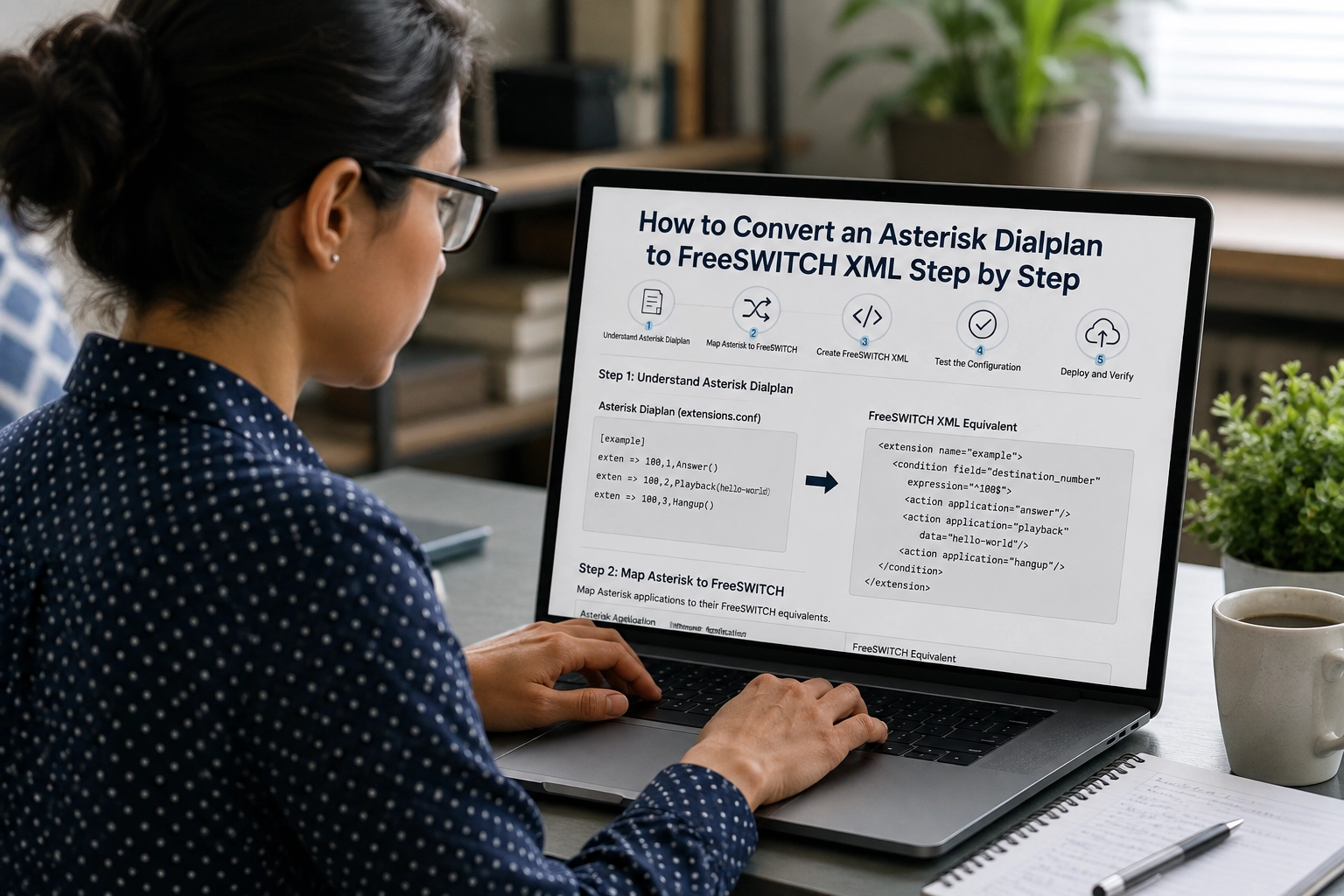
Converting your dialplan is easier when you follow the same order FreeSWITCH processes calls. Start with the overall structure, replace the routing logic, and then confirm your patterns still match the calls you expect.
During an Asterisk to FreeSWITCH migration, taking this structured approach helps preserve your call logic, reduces routing errors, and makes it easier to validate each stage before moving production traffic.
Step 1: Convert Asterisk Contexts into FreeSWITCH Contexts
Start by mapping your Asterisk contexts to their FreeSWITCH equivalents. Although both platforms use contexts to organize call routing, FreeSWITCH typically separates inbound and internal traffic into dedicated contexts, such as public and default.
Instead of copying your existing structure, review whether each context still serves a clear purpose. A cleaner layout makes your dialplan easier to manage as your deployment grows.
Step 2: Map Asterisk Applications to FreeSWITCH Actions
Next, replace each Asterisk application with the appropriate FreeSWITCH action. While many functions perform similar tasks, they don’t always execute the same way because FreeSWITCH runs actions only after a condition matches.
| Asterisk Application | FreeSWITCH Action |
| Answer() | answer |
| Playback() | playback |
| Dial() | bridge |
| Hangup() | hangup |
| Set() | set |
| Goto() | transfer |
Don’t assume every application has a direct replacement. Test the call flow after each conversion to make sure it behaves as intended.
Step 3: Convert Extension Patterns into FreeSWITCH Regular Expressions
If your Asterisk dialplan uses patterns like _NXXXXXXXXX or _X., you’ll need to recreate them with regular expressions in your FreeSWITCH XML dialplan. This changes how calls are matched before any routing action runs.
Take time to verify each pattern against real phone numbers. A small mistake in a regular expression can prevent valid calls from reaching the correct destination.
Step 4: Review the Converted Dialplan Before Moving On
Before adding more routing logic, reload your XML configuration and test a few common call scenarios. Confirm that calls enter the correct context, match the expected condition, and execute the intended action.
Finding issues at this stage is much easier than troubleshooting them after the entire migration is complete.
Following these four steps gives you a working dialplan foundation. The next challenge is understanding why some converted dialplans still fail even when the syntax looks correct.
Why Converted FreeSWITCH XML Dialplans Often Fail
Your conversion can look complete on paper but still produce unexpected call behavior. That’s because FreeSWITCH doesn’t simply interpret an Asterisk dialplan in XML. It evaluates call logic differently, so small migration mistakes can lead to routing failures, especially as you scale FreeSWITCH for high-concurrency call stability across production environments.
- FreeSWITCH Dialplan Execution Flow
One of the most common issues is assuming FreeSWITCH stops processing as soon as it finds a matching condition. Instead, it can continue evaluating other extensions unless your dialplan is configured to stop.
Review the execution flow after each conversion. If a call reaches the wrong destination, the issue may be the order of evaluation rather than the routing rule itself.
- FreeSWITCH Condition Matching
A condition can also fail even when the required variable is present. This usually happens because FreeSWITCH matches variables and regular expressions differently than Asterisk.
Verify that you’re using the correct variable, the expected regular expression, and the right evaluation order. Small inconsistencies can prevent the intended action from running.
- Incorrect Application Mapping
Not every Asterisk application has a direct FreeSWITCH equivalent. Simply replacing Dial() with bridge or Goto() with transfer doesn’t always preserve the original call flow.
After mapping an application, test the complete routing sequence instead of assuming the new action behaves exactly the same.
- Context Configuration Errors
Calls may also fail because they enter the wrong context. If an inbound call reaches an unexpected context, FreeSWITCH won’t evaluate the extensions you intended, even if they’re correctly configured.
Confirm that your SIP profiles and inbound routes point to the correct context before troubleshooting individual extensions.
Understanding these issues helps you troubleshoot your dialplan faster. Next, you’ll see when XML should give way to Lua.
When Should You Move Dialplan Logic from XML to Lua?
A FreeSWITCH XML dialplan is the right choice for most call routing tasks. As your deployment grows, however, you may reach a point where adding more XML makes the dialplan harder to maintain than the routing itself.
- Use XML for Predictable Call Routing
If your routing follows fixed rules, XML is usually all you need. It’s easier to read, troubleshoot, and update because the call flow remains visible in one place.
XML works well when your dialplan needs to:
- Route inbound and outbound calls based on extensions or patterns.
- Play prompts, bridge calls, or set channel variables.
- Apply straightforward routing conditions without additional processing.
- Use Lua for Dynamic Call Logic
Lua becomes a better option when your routing decisions depend on information that changes during a call. Instead of filling your XML with complex conditions, you can move the decision-making into a script and keep the dialplan easier to manage.
Consider Lua if your dialplan needs to:
- Retrieve customer data from a database before routing a call.
- Connect with external APIs or CRM platforms.
- Apply advanced business rules that change frequently.
- Reuse the same routing logic across multiple dialplans.
You don’t have to replace XML entirely. Many production deployments keep the core routing in XML and invoke Lua only when additional logic is required. That approach combines the simplicity of XML with the flexibility of scripting.
The right balance of XML and Lua simplifies long-term maintenance. Next, you’ll test your converted dialplan before the cutover.
How to Test a Converted FreeSWITCH XML Dialplan Before Cutover
Even a well-converted dialplan should be tested before you move production traffic. A few targeted checks can help you catch routing errors early and reduce the risk of failed calls after cutover.
- Validate Your Dialplan Configuration
Start by confirming that your XML is valid and has been loaded correctly. Then verify that calls enter the expected context and follow the intended routing path.
Before moving on, check that you can:
- Reload the XML configuration without errors.
- Match calls to the correct context and extension.
- Confirm that the expected actions are executed.
- Test Your Call Flows
Next, test the call scenarios your users rely on most. Don’t stop after a successful inbound call. Verify the complete routing experience from start to finish.
Include tests for:
- Inbound and outbound calls.
- Extension-to-extension routing.
- Pattern matching and conditional routing.
- Failover or alternate call paths, if configured.
Review the FreeSWITCH logs during each test. They can quickly show where a condition failed or why a call followed an unexpected route.
A validated dialplan is far less likely to surprise you in production.
One final consideration is how to structure your dialplan if you’re migrating a multi-tenant deployment.
Migrating Multi-Tenant Asterisk Dialplans to FreeSWITCH
If you’re migrating a multi-tenant deployment, avoid placing every customer in the same dialplan. FreeSWITCH lets you organize each tenant into its own context, making your routing easier to manage as the deployment grows. This flexible architecture is also one of the key reasons why AI voice platforms choose FreeSWITCH for scalable, multi-tenant deployments.
- Create a Separate Context for Each Tenant
Assign each tenant a dedicated context instead of sharing routing rules across multiple customers. This keeps extensions, call permissions, and routing logic isolated, reducing the risk of one tenant’s changes affecting another.
A structured context layout also makes onboarding new tenants much simpler. You can add or modify one tenant without reviewing the entire dialplan.
- Standardize Shared Routing Logic
Some call handling rules, such as voicemail or outbound routing, may be common across tenants. Instead of duplicating the same logic, keep shared components consistent while allowing tenant-specific rules where needed.
This approach reduces maintenance effort and helps you keep your FreeSWITCH XML dialplan organized as your customer base expands.
Well-structured contexts make multi-tenant dialplans easier to scale and maintain. Let’s bring the migration together with a few final takeaways.
Final Thoughts?
Converting an Asterisk dialplan to FreeSWITCH XML is more than replacing syntax. It’s about adapting your routing to match how FreeSWITCH evaluates contexts, conditions, and actions. Taking the time to restructure your dialplan now can save hours of troubleshooting after deployment.
Whether you’re migrating a simple call flow or a multi-tenant environment, validate every change before moving production traffic. A well-tested dialplan is easier to maintain, scale, and build on as your communication platform evolves.
If you need expert guidance, Ecosmob can help you convert complex dialplans, validate call flows, and complete your migration with minimal disruption.
Frequently Asked Questions
A converted condition can fail because FreeSWITCH evaluates variables, regular expressions, and execution order differently than Asterisk. Verify that you’re referencing the correct variable, using the expected regular expression, and matching the condition in the right context. Reviewing the call logs can help you identify where the evaluation fails
The closest equivalent to the Asterisk Dial() application is the bridge action in a FreeSWITCH XML dialplan. While both connect calls to another endpoint, FreeSWITCH executes the bridge only after the defined condition matches, so you should always validate the complete call flow after conversion.
FreeSWITCH doesn’t use Asterisk-style pattern matching. Instead, it relies on regular expressions within <condition> elements to match extensions and phone numbers. Although the syntax is different, regular expressions provide greater flexibility for building advanced routing rules.
Yes, but it’s generally best used as a temporary migration aid rather than a long-term solution. While mod_dialplan_asterisk helps you run Asterisk-style dialplans in FreeSWITCH, converting to a native FreeSWITCH XML dialplan gives you better performance, maintainability, and access to FreeSWITCH-specific features.
Reduce downtime by migrating in phases instead of switching everything at once. Validate your dialplan in a test environment, verify your key call flows, and move production traffic only after confirming that inbound, outbound, and failover routing work as expected. A phased migration makes it easier to identify and resolve issues before they affect users.